Introduction to the Instrument
Front Panel at a Glance
Front Panel Display at a Glance
Rear Panel at a Glance
Instrument Ratings
Front Panel at a Glance
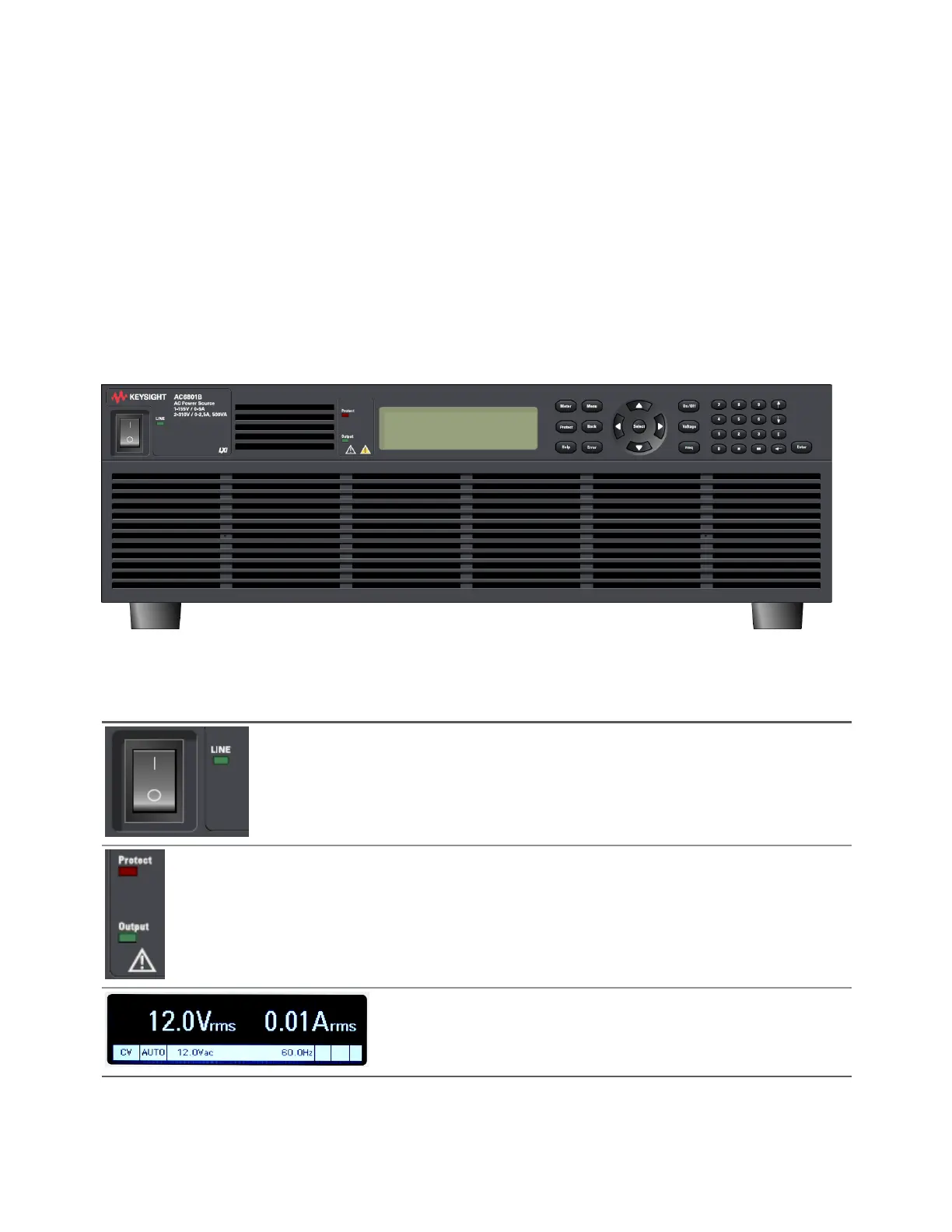
The following table lists the main parts of the front panel, from left to right:
The [Power] switch turns the unit on or off. The indicator next to this switch
shows the display status. Green indicates normal operation. Yellow indicates that
the display is in screen saver mode or that the instrument is in the boot-up pro-
cess. Press any key to exit screen saver mode.
The status LEDs light to indicate when a protection event has occurred and when
the output is on.
The display allows you to configure and monitor the instrument.
Keysight AC6800B Series Operating and Service Guide 19
1Getting Started



 To Next Page