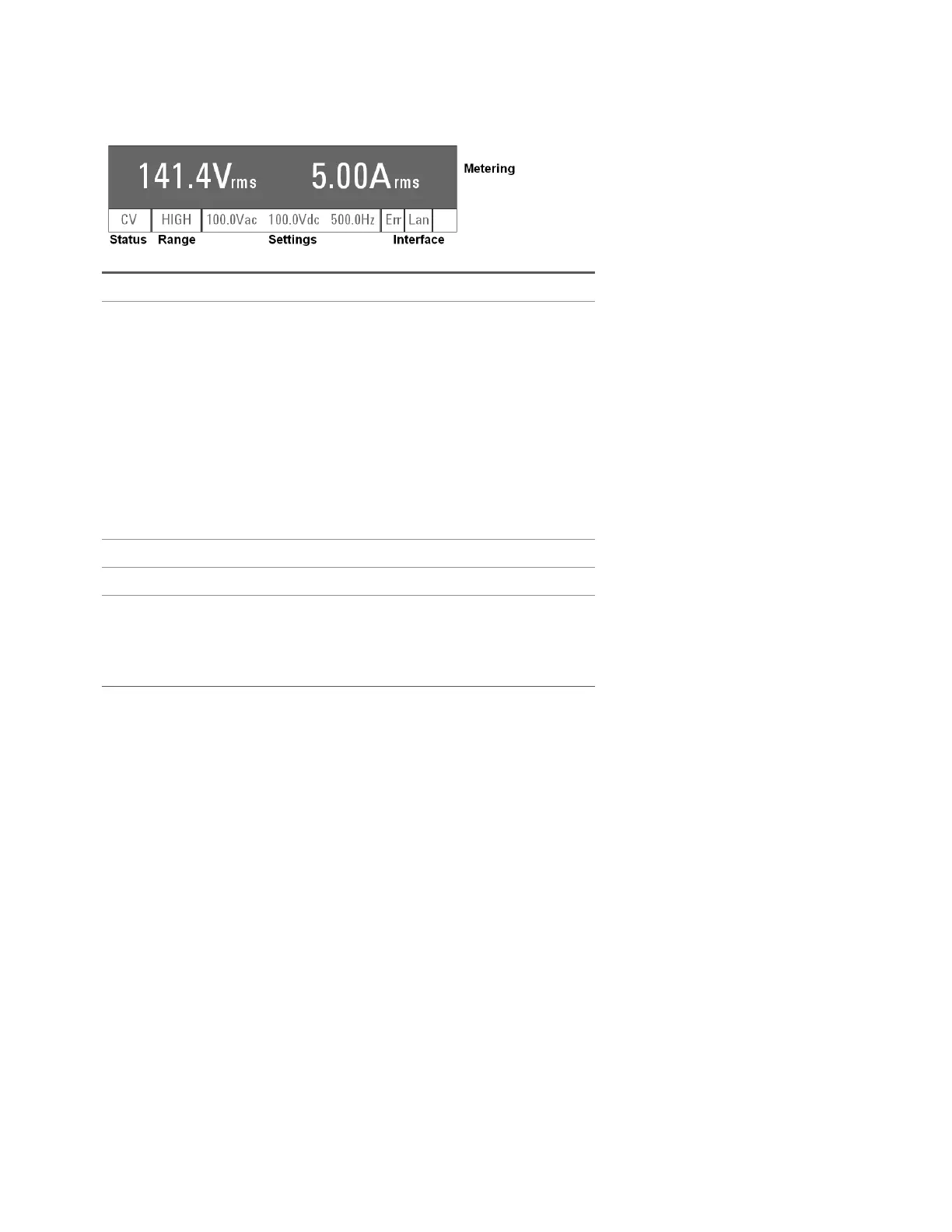
Front Panel Display at a Glance
Metering field Shows the measured output.
Status field Displays the instrument status:
OFF = the output is off.
CV = the output is in constant voltage mode.
OC = the output is disabled by the overcurrent protection.
OT = the overtemperature protection has tripped.
OP = the overpower protection has tripped.
CLPK = the instrument has gone beyond its peak current limit.
CLrms = the instrument has gone beyond its RMS current limit.
PL = the instrument has gone beyond its power limit.
SF = the output is disabled by a sense fault protection
WDG = watchdog protection - no I/O activity.
Range field Displays the current voltage range (HIGH, LOW, or AUTO).
Settings field Displays the output settings.
Interface field Indicates the following remote interface activity:
Err = an error has occurred (press [Error] to display the error message)
Lan = the LAN is connected and has been configured
IO = there is activity on one of the remote interfaces
Keysight AC6800B Series Operating and Service Guide 21
1Getting Started



 To Next Page