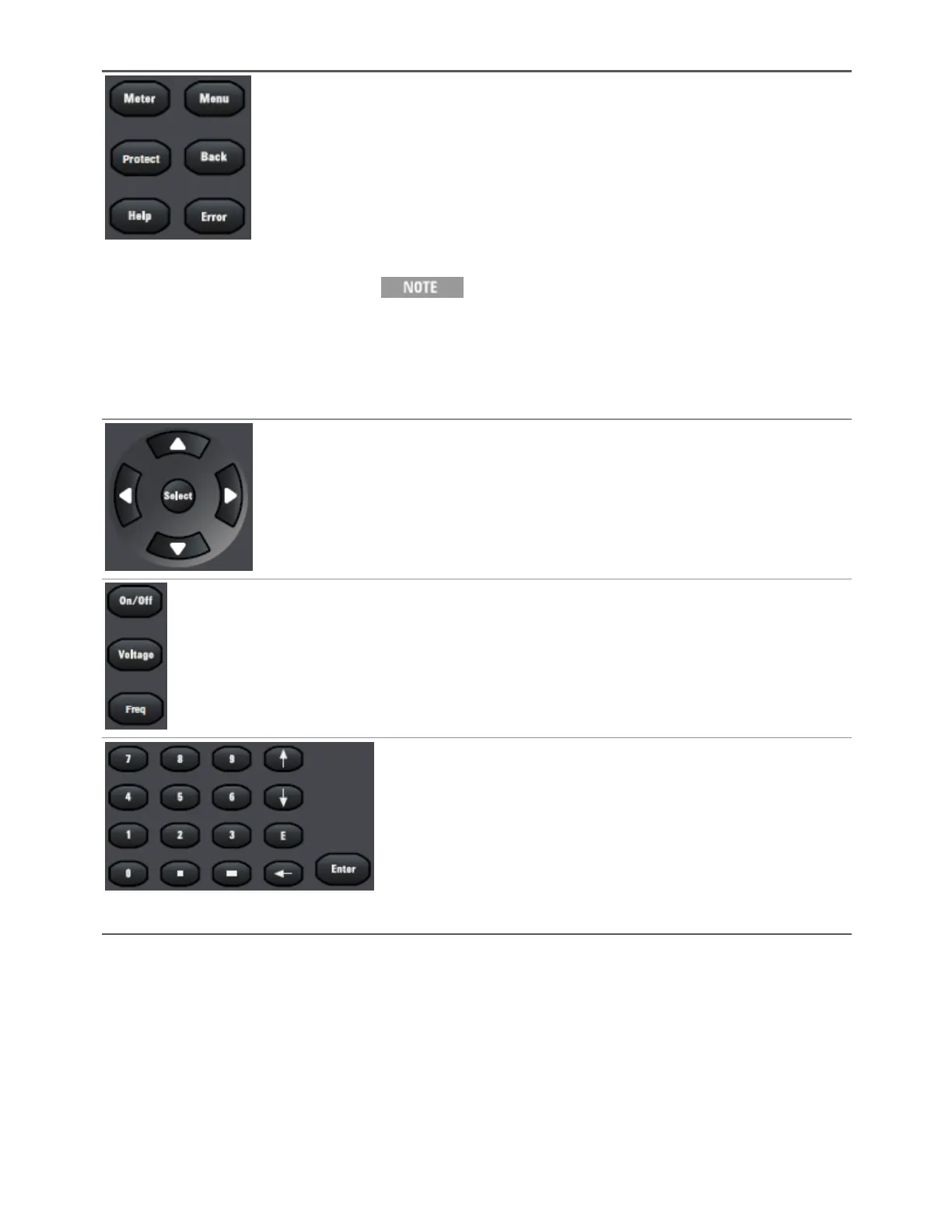
[Meter] returns the display to metering mode. Pressing it repeatedly cycles the
display through all three formats (METER_VI, METER_VIP, and METER_ALL).
[Menu] opens the top level of the command menu. Pressing it a second time
returns to the metering mode display.
[Protect] brings the user to the Protect menu. This is equivalent to
[Menu]>Protect.
[Back] backs out of a menu without activating any changes.
[Help] describes the displayed menu control.
[Error] displays messages in the error queue.
The [Error] and [Help] keys provide access to text that is accessed
via a vertically scrolling text box. Use the up and down arrow keys
to scroll through multiline text, one screen at a time.
To retrieve error messages remotely, send the SYSTem:ERRor?
query. The SCPI Status Byte and Standard Event Registers provide
an overview of error conditions.
The puqt arrows move around the command menus and select characters in
alphanumeric entry fields. The [Select] key makes a selection in a menu and
enters the edit mode for numeric parameters.
[On/Off] enables or disables the output.
[Voltage] specifies the voltage settings.
[Freq] specifies the frequency settings.
[0] through [9] enter numbers.
[.] enters the decimal point.
[–] toggles between positive and negative numbers.
[!] and [#] increment or decrement voltage or frequency settings and select letters
in alphanumeric entry fields.
[E] enters the letter E to allow you to enter an exponent to the right of it.
[-] backspaces to delete characters.
[Enter] enters a value. If you exit a field without pressing [Enter], the value is
ignored.
1Getting Started
20 Keysight AC6800B Series Operating and Service Guide



 To Next Page