Resetting the LAN
You can perform an LXI reset of the LAN settings. This resets DHCP (ON), DNS server address
configuration, mDNS state (ON), and Web password (blank). These settings are optimized for
connecting your instrument to a site network. They should also work well for other network
configurations.
You can reset the all LAN settings to their factory defaults and restart networking. These default
settings are listed under Default Settings.
Front Panel SCPI Command
[Menu]>System>IO>LAN>Reset
or
[Menu]>System>IO>LAN>Defaults
Select Reset to activate the selected LAN settings and restart networking.
Not available
Modifying the LAN Settings
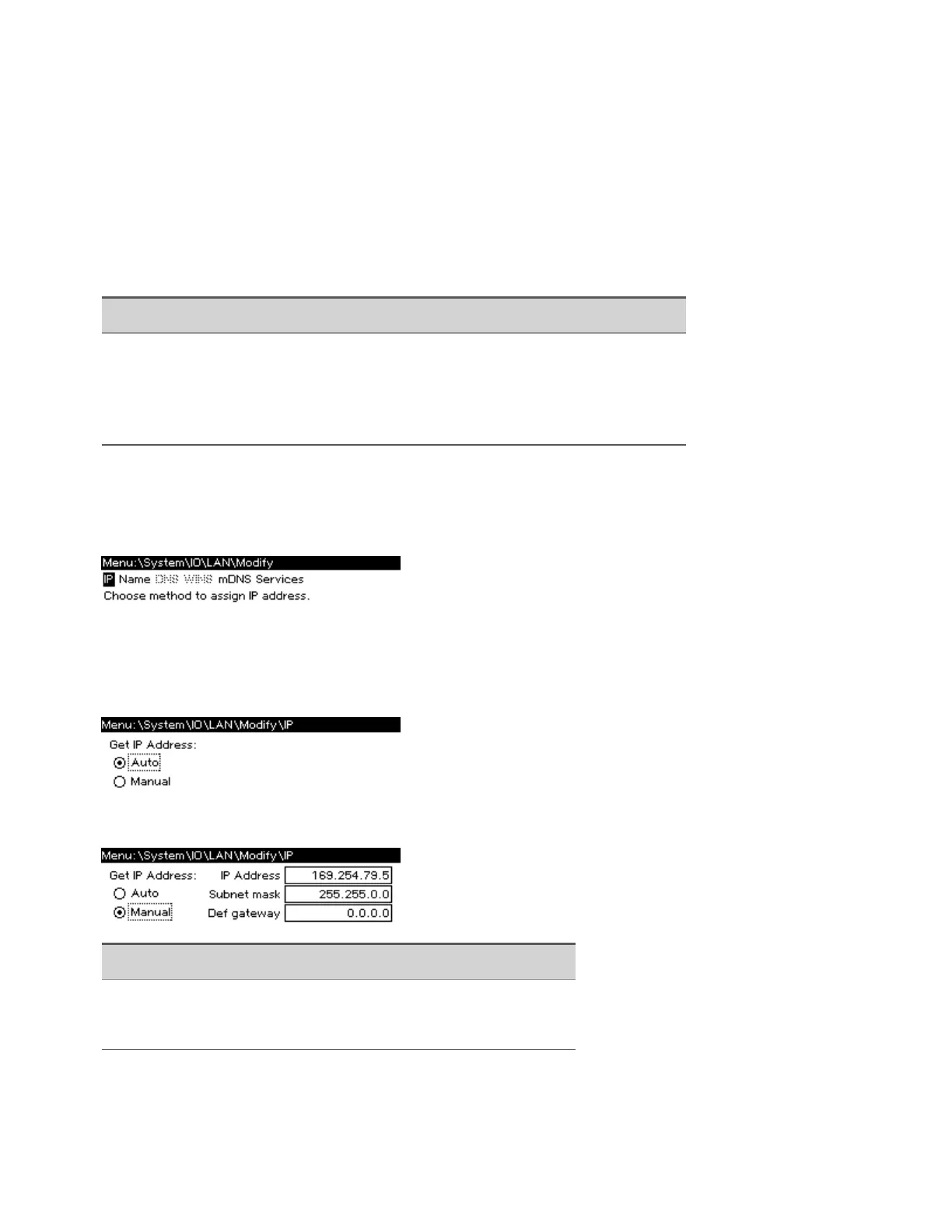
Press [Menu]>System>IO>LAN>Modify to modify the LANsettings.
IP Address
Press [Menu]>System>IO>LAN>Modify>IP to configure the instrument addressing.
If Manual is selected, additional parameters appear, as shown below.
Front Panel SCPI Command
[Menu]>System>IO>LAN>Modify>IP
Select Auto or Manual. See below for a full description.
Not available
The configurable parameters include:
1Getting Started
44 Keysight AC6800B Series Operating and Service Guide



 To Next Page