3.
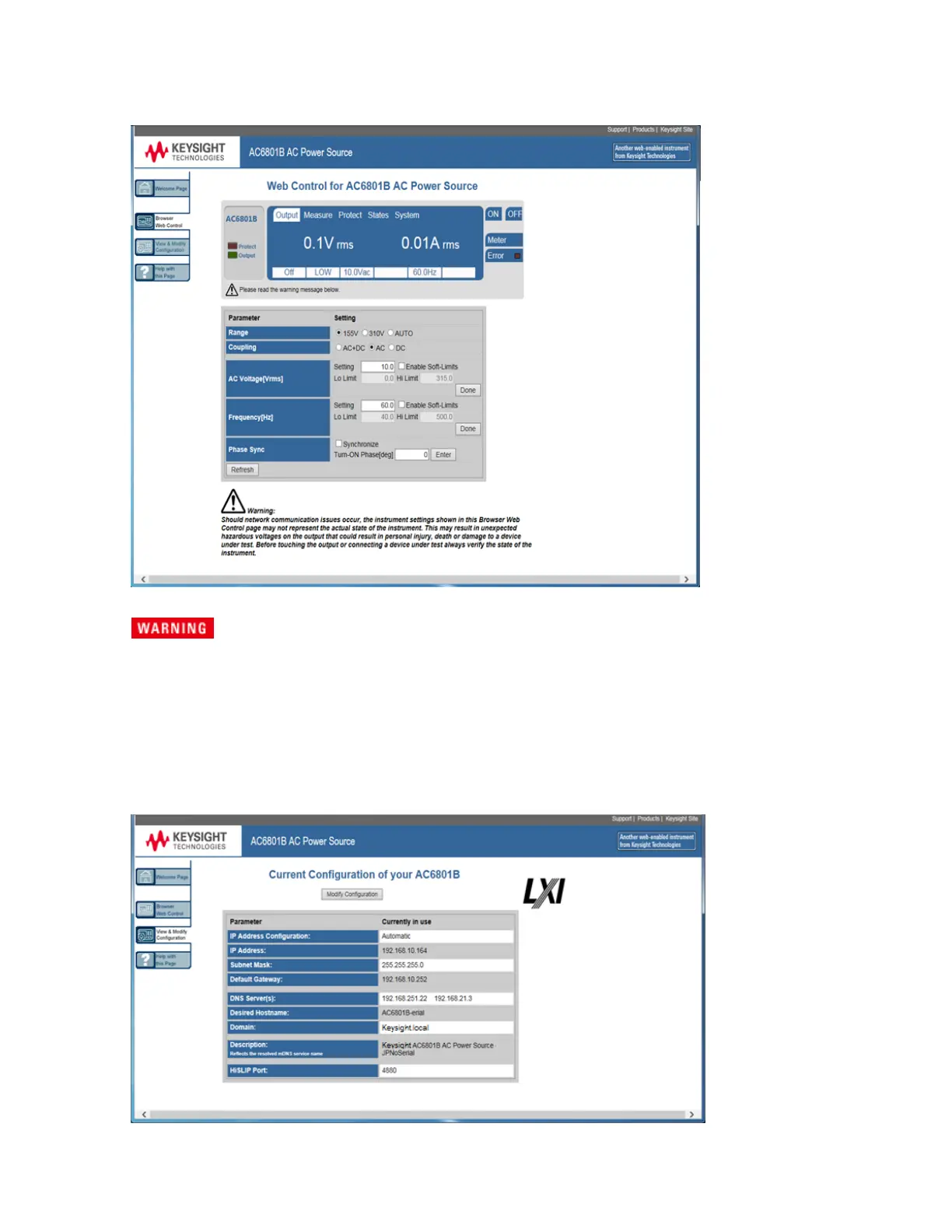
Click on the Browser Web Control tab in the navigation bar on the left to begin controlling your instru-
ment.
Should network communication issues occur, the instrument settings shown in the
Browser Web Control page may not represent the actual state of the instrument. This
may result in unexpected hazardous voltages on the output and sense connections
that could result in personal injury, death, or damage to a device under test. Before
touching the output or sense connections or connecting to a device under test, always
verify the state of the instrument.
4.
Click the View and Modify Configuration tab for information about the instrument and its connectivity.
5. For additional help about any of the pages, click the Help with this Page tab.
Keysight AC6800B Series Operating and Service Guide 49
1Getting Started



 To Next Page