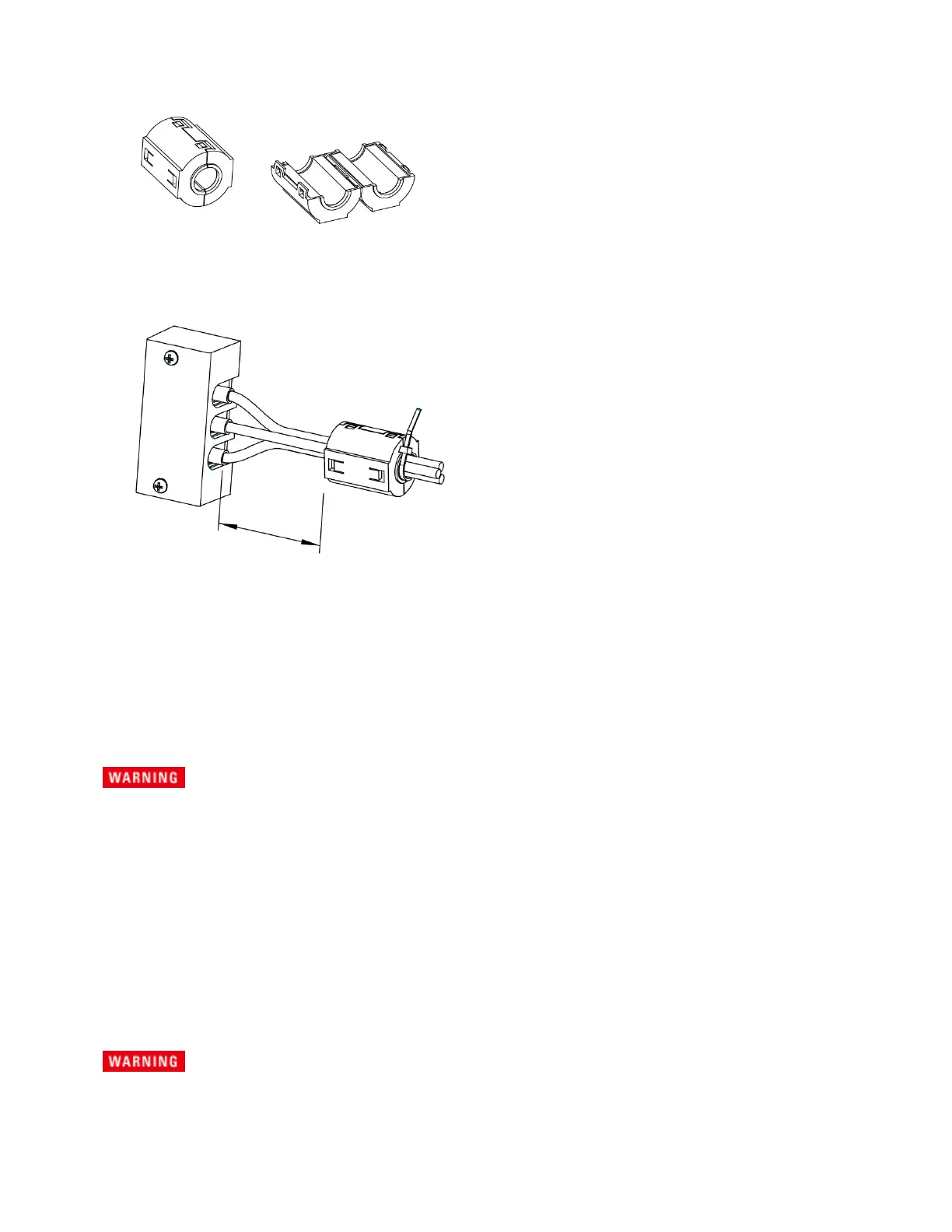
5.
Unlock the ferrite core and open it.
6.
Close the ferrite core. Avoid catching the wire on the ferrite core. Attach the ferrite core within 10 cm
from the OUTPUT terminal block (as indicated by the arrows below). Lock the ferrite core securely in
place. To avoid moving the ferrite core, attach the cable tie to fix the position of the ferrite core.
When the load is located at a distance from the instrument
The load may be away from the instrument. You can use remote control to turn the output off, but not
to turn off the POWER switch. If the load is at a distance from the instrument, install a switch between
the OUTPUT terminal block and the load to prevent electric shock, then turn the switch off.
For the switch circuit, use a two-pole type switch that cuts off L and N wires simultaneously. The
current rating of the switch must be greater than or equal to the instrument's maximum current.
Possible electric shock
When installing the switch between the OUTPUT terminal block and the load, be sure to
turn the POWER switch off and remove the power plug from an outlet or turn off the circuit
breaker of the switchboard.
Be sure to turn the switch off before connecting the load to the terminal at the load end of
the switch.
Do not touch the switch terminal or the output terminal when the output is on.
Connecting the Remote Sense Wires
Possible Electric Shock
Before making any load or sense connections be sure to turn the POWER switch off and
remove the power plug from an outlet or turn off the circuit breaker of switchboard.
1Getting Started
54 Keysight AC6800B Series Operating and Service Guide



 To Next Page