44 User’s Manual PLZ-5W
Basic Functions | Alarm Function
Setting undervoltage protection (UVP)
This function turns off the load of the PLZ-5W when the voltage applied to the PLZ-5W becomes equal to
or less than the UVP setting. You can also turn UVP off.
You can set this function when the load is off. This function operates in modes other than CV mode.
1
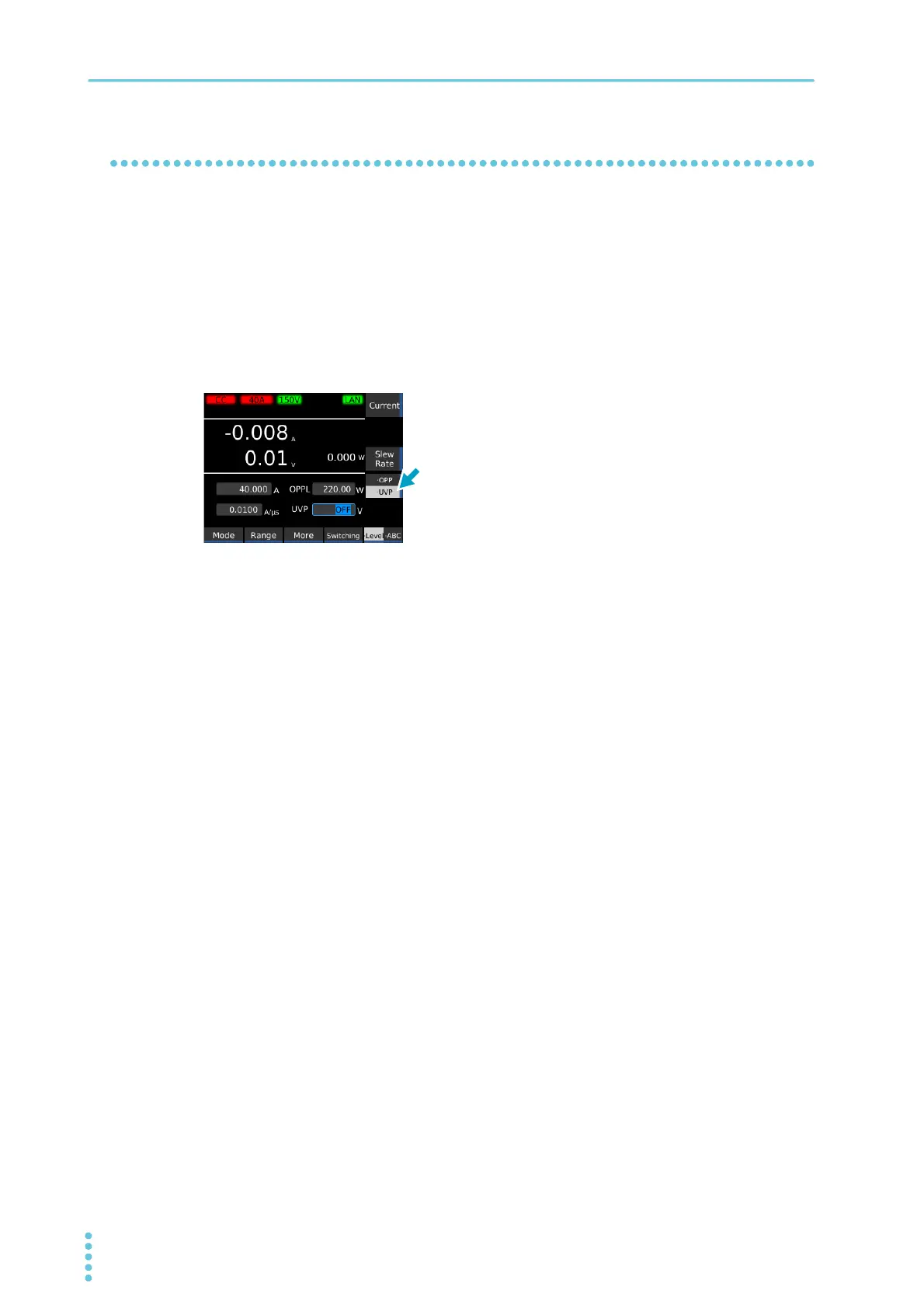
Press Source and then Level.
2
Press UVP to select UVP.
Each time you press the key, the selected item changes.
3
Use the numeric keypad or the rotary knob to enter the voltage value.
To turn this off, turn the rotary knob counterclockwise to select OFF.
This completes the setting.


 To Next Page