8 User’s Manual PLZ-5W
Component Names
Front panel
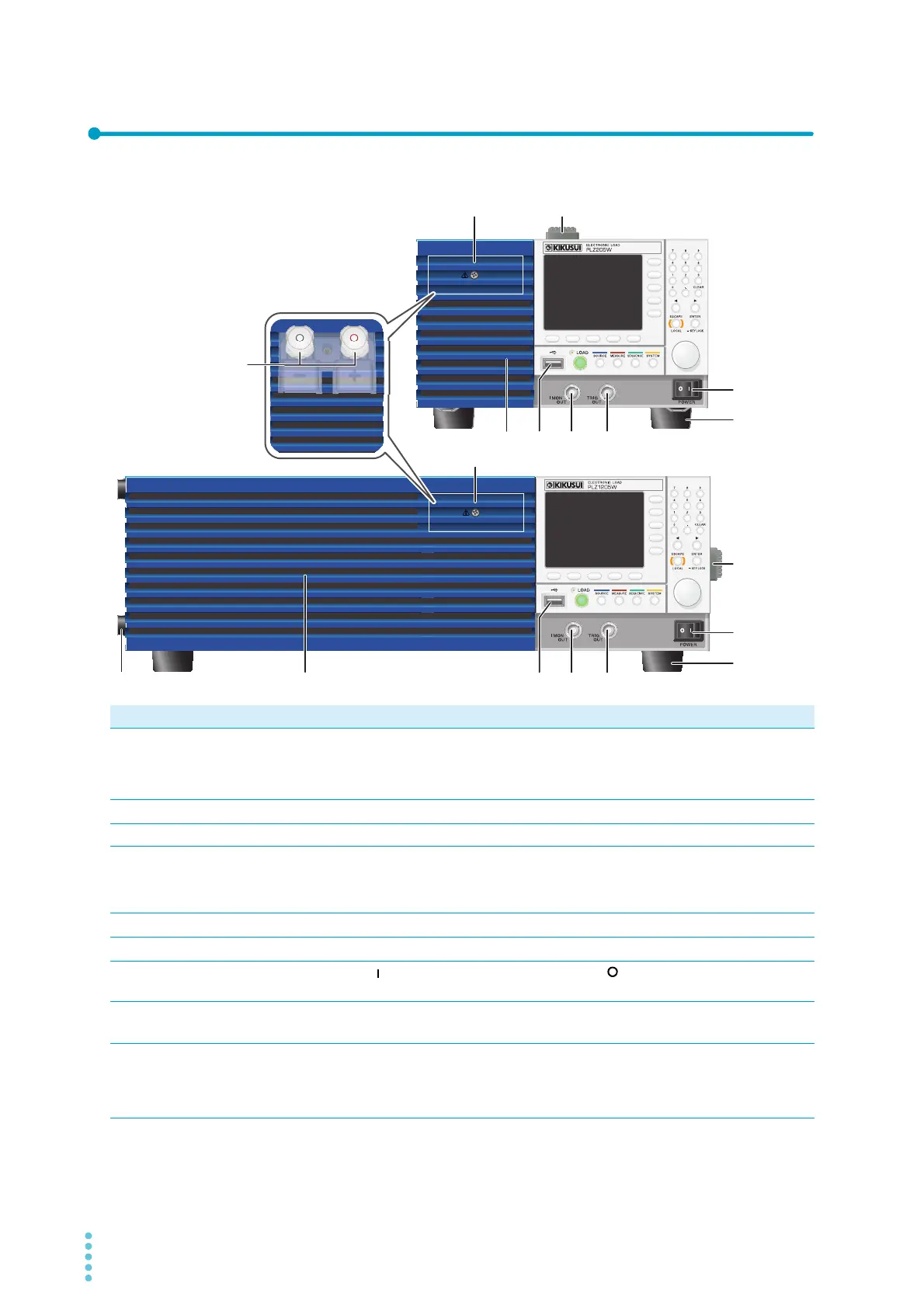
No. Name Function See
1
Protection plate This plate protects the load input terminal on the front panel. The DUT and
the PLZ-5W can be connected by removing the protection plate and attach-
ing the front panel load input terminal cover. When not using the DC load
input terminal on the front panel, be sure to attach the protection plate.
p.17
2
Handle Handle for carrying the PLZ-5W.
p.168
3
Air inlet Inlet holes for cooling. –
4
USB connector (host) This connector is used to connect an external keyboard, save the setup
memory, and perform updates.
p.22
p.64
p.125
5
I MON OUT connector Current monitor output terminal.
p.104
6
TRIG OUT terminal Trigger signal output terminal.
p.102
7
POWER switch
Press the ( ) side to switch the power on, and the ( ) side to switch the
power off.
p.13
8
Feet PLZ205W/PLZ405W: 4 locations on bottom panel.
PLZ1205W: 4 locations on bottom panel, 4 locations on side panel.
p.168
9
DC INPUT terminal on
the front panel
(Load input terminal on
the front panel)
Used for simple connection with the DUT. The specifications are for the load
input terminal on the rear panel and the load input terminal on the front panel
may not meet the specifications.
p.17
PLZ205W
PLZ405W
(PLZ205W example)
PLZ1205W
12
2
345 6
8
7
34568
1
7
8
9


 To Next Page