PLZ-5W User’s Manual 71
Advanced Functions | Synchronized Operation
Synchronizing the start of sequences
The start of sequences can be synchronized among multiple synchronized PLZ-5Ws. To synchronize, you
first need to create a sequence (p.74).
1
Press SOURCE and then More.
2
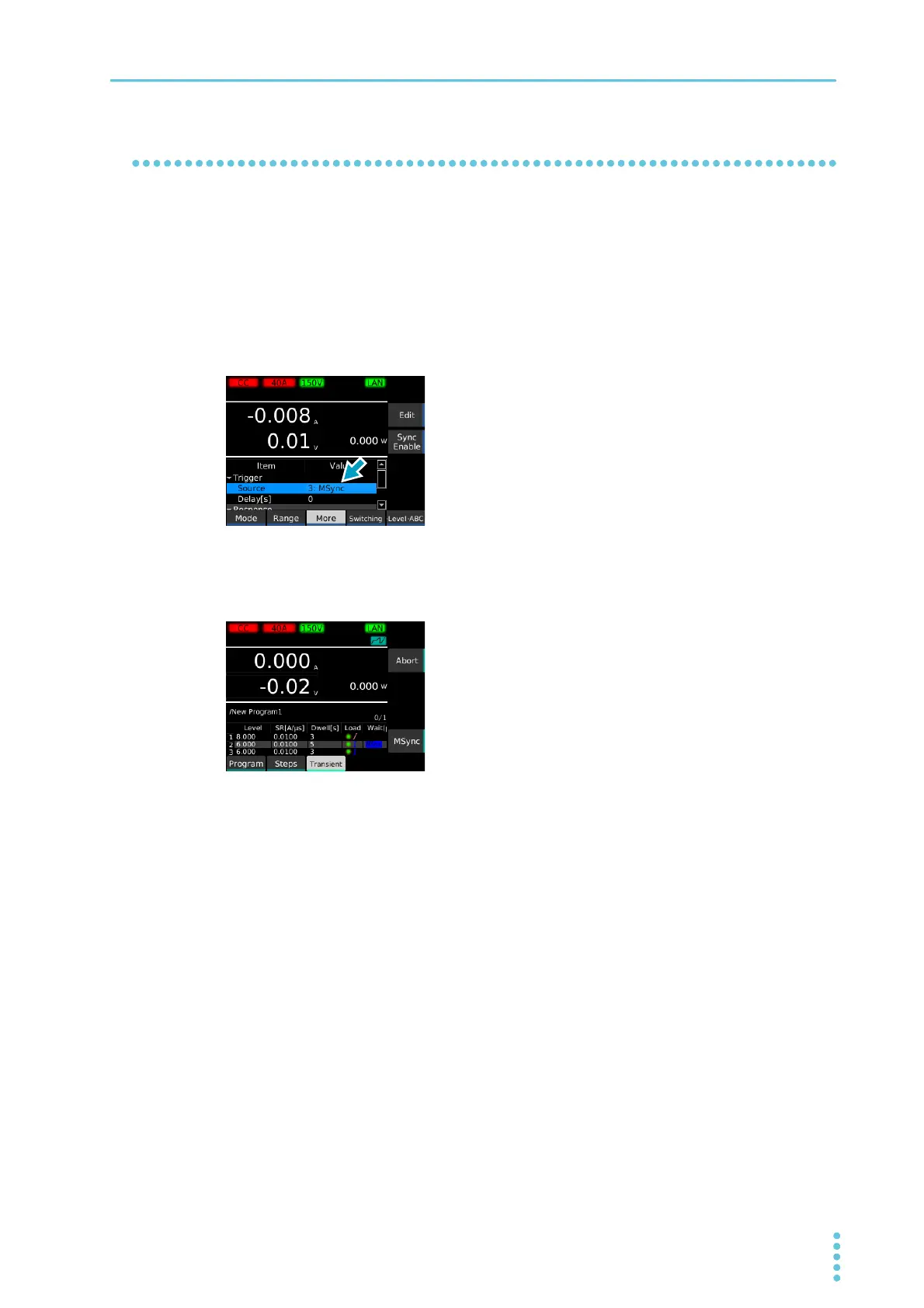
Use the rotary knob to select Source, and then press Edit.
3
Use the rotary knob to select MSync, and then press ENTER.
4
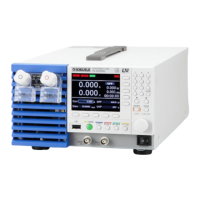
Run the sequence (p.88).
The sequence pauses before executing the first step, and “MSync” appears in the sub-function
area.
5
Perform step 1 to step 4 on all PLZ-5Ws to be synchronized.
6
Press MSync on any of the synchronized PLZ-5Ws.
Sequence starts simultaneously on all synchronized PLZ-5Ws.


 To Next Page