56 User’s Manual PLZ-5W
Advanced Functions
Remote Sensing
You can change a voltage measurement point from a load input terminal to an arbitrary sensing point. By
setting sensing points at the DUT end, influences such as voltage drops caused by the resistance of the
load cables can be reduced, and the load current can be stabilized.
To use remote sensing, connect the sensing cables to the sensing terminals of the PLZ-5W and the DUT
end, and enable the remote sensing function.
Connecting the sensing cables
Unlike the load cables, there is no need to consider the current capacity for the sensing cables. However,
for adequate mechanical strength, use wires whose nominal cross-sectional area is 0.5 mm
2
or greater.
1
Turn the POWER switch off.
2
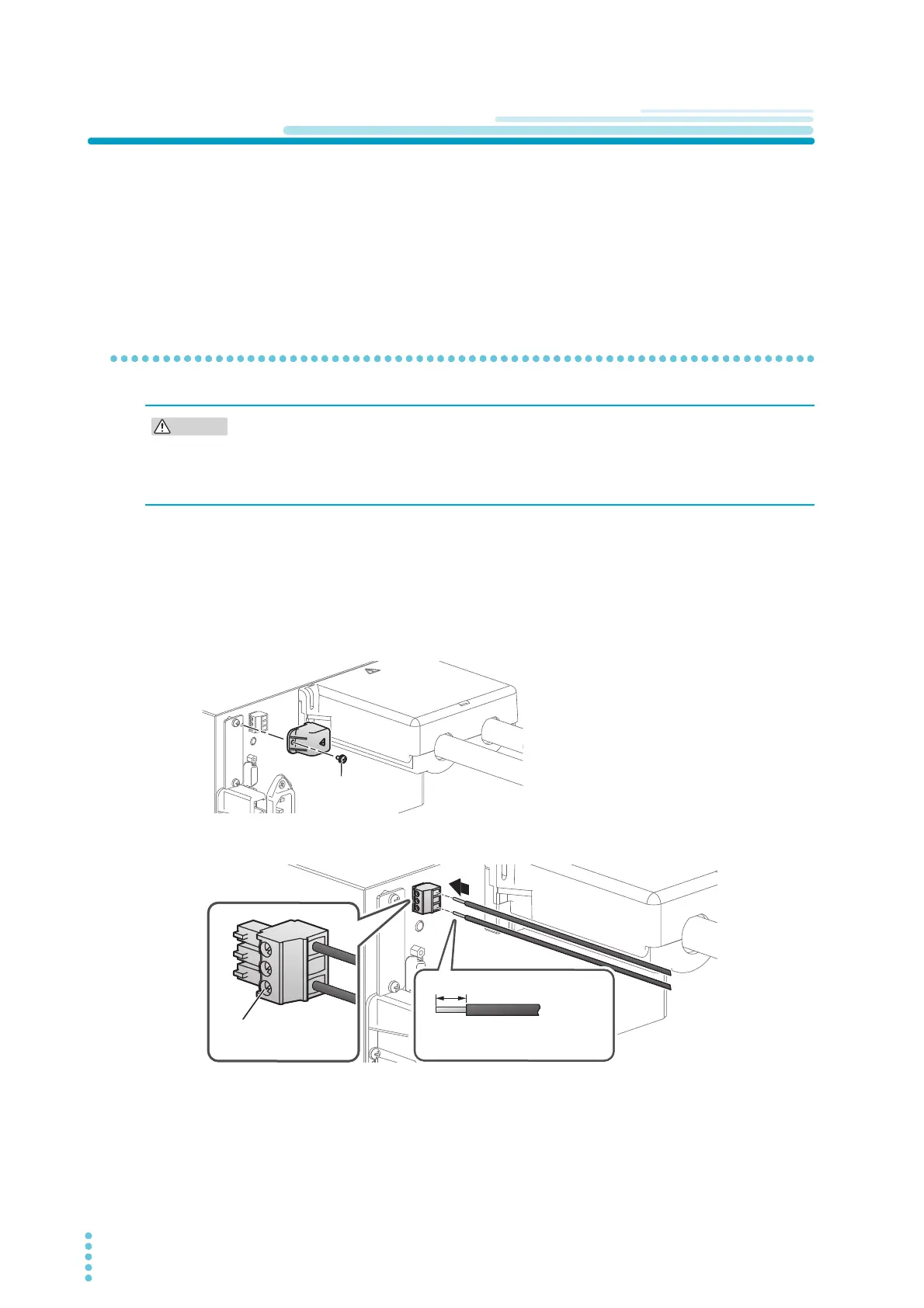
Remove the sensing terminal cover on the rear panel.
3
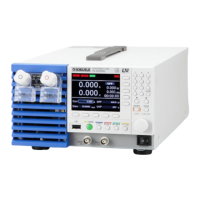
Connect the sensing cables to the PLZ-5W.
• Risk of damage to the internal circuitry. Never wire the sensing terminals while the
POWER switch is turned on.
• If the remote sensing cables come loose while remote sensing is in use, the PLZ-5W and
DUT may be damaged. Be sure to connect the cables securely.
Use the screws to fix
the wires in place.
7mm
We recommend stripping 7mm
of the insulation from the wires.
+


 To Next Page