PLZ-5W User’s Manual 79
Sequence Function | Program Configuration
Changing a program name
1
Press SEQUENCE and then Program.
2
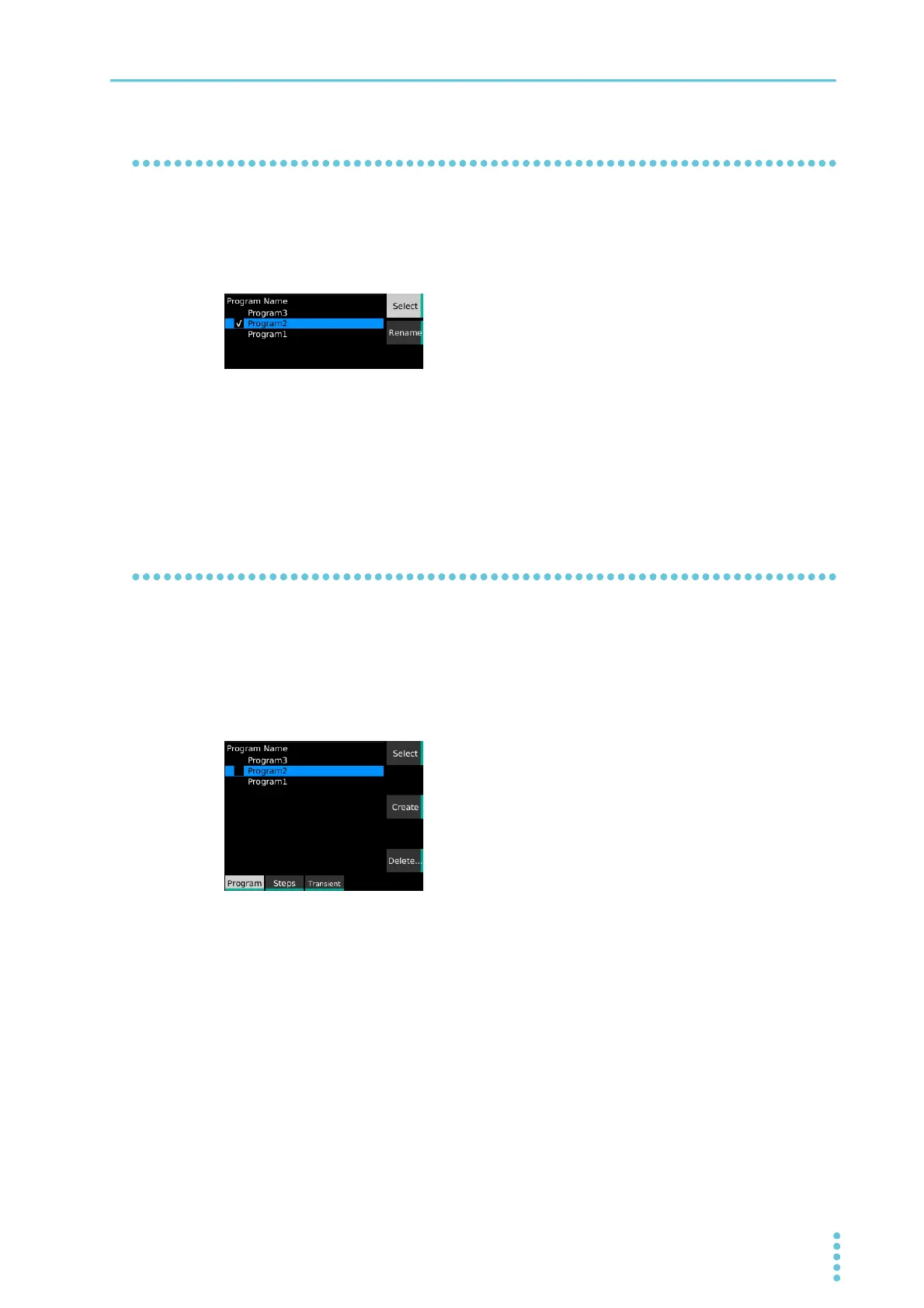
Use the rotary knob to select the program, and then press Select.
A check mark appears to the left of the selected program name.
3
Press Rename.
4
Use the numeric keypad or the rotary knob to enter the program name, and then
press ENTER.
The program name is changed.
Deleting a program
1
Press SEQUENCE and then Program.
2
Use the rotary knob to select the program, and then press Delete.
If the check box of any program is selected, you cannot delete programs. If a check box is
selected, use the rotary knob to select the corresponding program, and then press Select to clear
the check box.
3
Use the rotary knob to select OK, and then press ENTER.
The program is deleted.


 To Next Page