PLZ-5W User’s Manual 45
Basic Functions | Alarm Function
Setting watchdog protection (WDP)
This function turns off the load of the PLZ-5W when SCPI communication is performed for a length of time
that is equal to or exceeds the WDP setting.
1
Press SYSTEM.
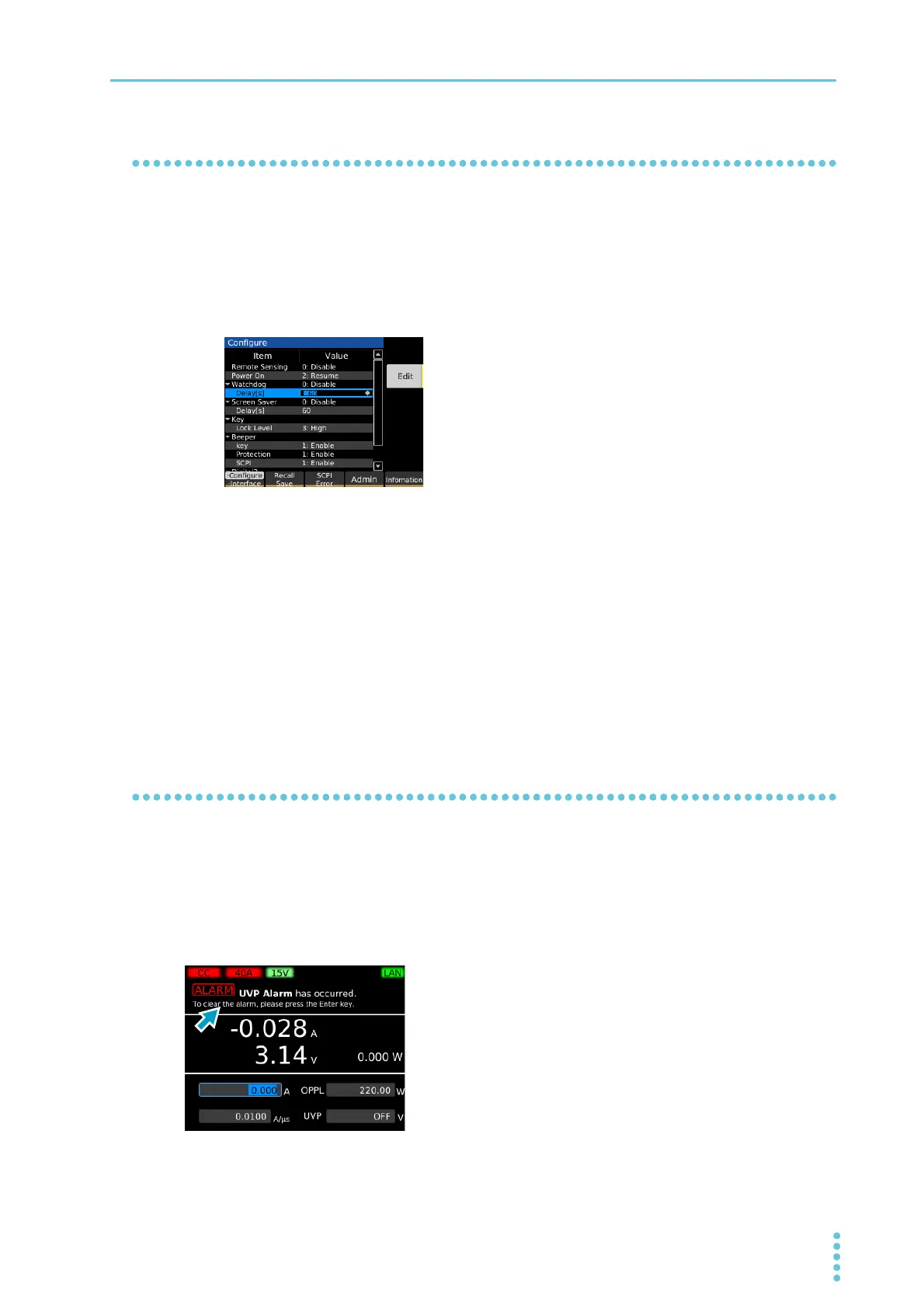
The Configure screen appears.
If the Configure screen does not appear, press Configure.
2
Use the rotary knob to select Delay under Watchdog, and then press Edit.
3
Use the numeric keypad or the rotary knob to enter the time [s], and then press
ENTER.
This sets the WDP value.
4
Use the rotary knob to select Watchdog, and then press Edit.
5
Use the rotary knob to select Enable or Disable, and then press ENTER.
This completes the setting.
When an alarm occurs
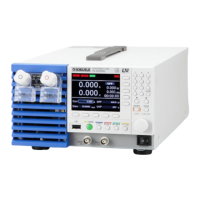
An alarm message appears in the message area of the display.
Additionally, there are the following status outputs to the EXT CONT connector.
• When overvoltage detection, reverse-connection detection, overheat detection, alarm input detection,
front-panel load terminal overcurrent detection, or parallel operation anomaly detection is activated:
ALARM1 (pin 14) switches ON
• When OCP, OPP, UVP or WDP is activated: ALARM2 (pin 15) switches ON


 To Next Page