PLZ-5W User’s Manual 9
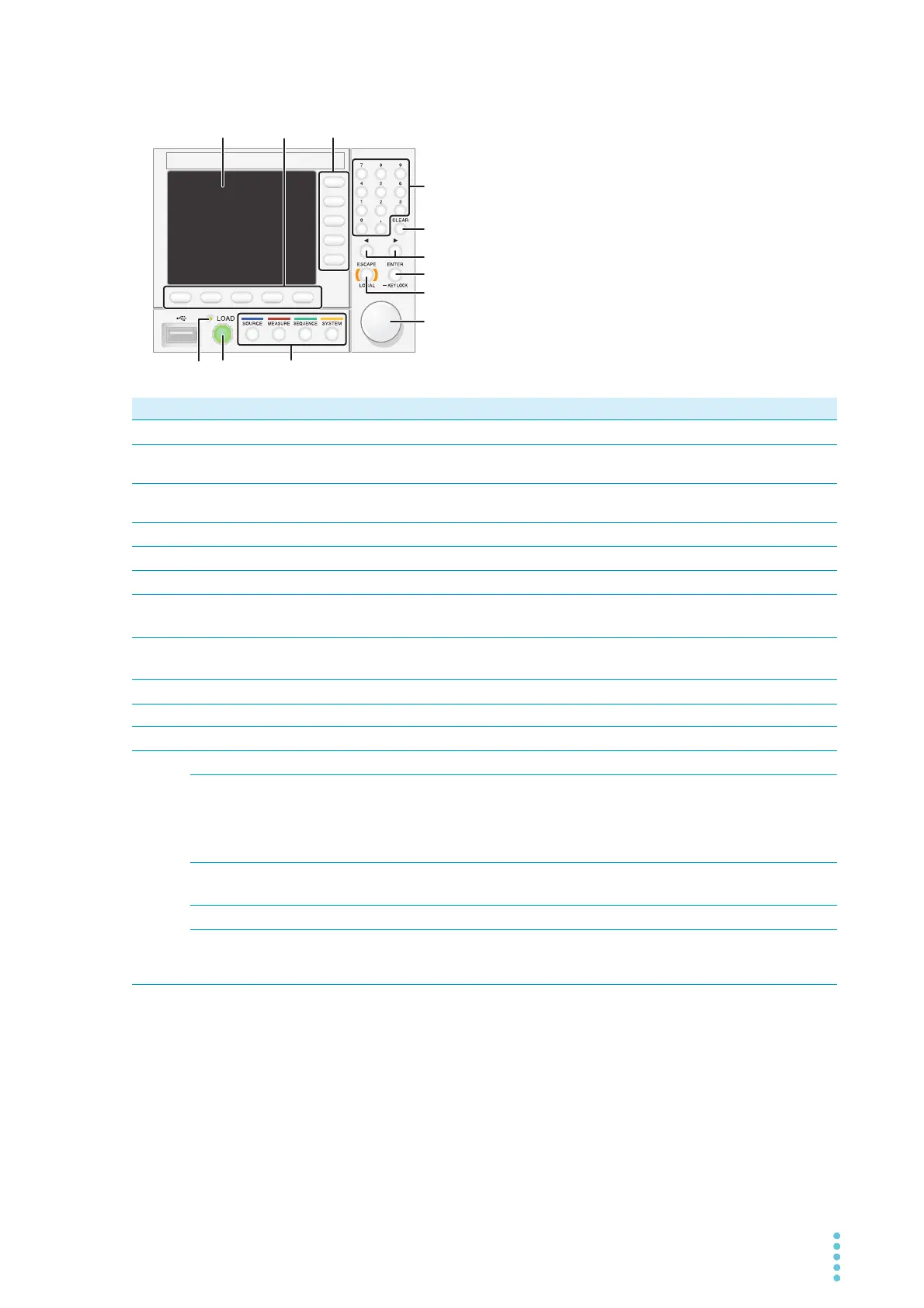
Controls
No. Name Function See
1
Display area Displays the settings, measured values, and other information.
p.10
2
Function keys Each function key executes the item that is displayed above that key (func-
tion area).
p.20
3
Sub-function keys Each sub-function key executes the item that is displayed to the left of that
key (sub-function area).
p.20
4
Numeric keypad Enters values.
p.22
5
CLEAR key Deletes numbers/characters.
p.22
6
←/→ keys Move the cursor left and right. Select the left or right item.
p.22
7
ENTER key
KEYLOCK key
Confirms the input value when performing numeric keypad input. Confirma-
tion after selection of setting item. Hold down to lock the keys.
p.22
p.114
8
ESCAPE key
LOCAL key
Cancels numeric/character input. Closes the window.
Returns remote control to panel operation.
p.22
p.73
9
Rotary knob Item selection. Inputs numbers/characters.
p.22
10
LOAD LED Lit when the load is on. –
11
LOAD key Turns the load on and off.
p.24
12
Menu key Switches the display.
p.19
SOURCE key Operation mode and load value settings, voltage and current range settings,
slew rate, short, switching, alarm, response speed, soft start, auto load off
timer, ABC preset memories, load on/off synchronization, measurement
recording synchronization, sequence synchronization, sequence start trigger
setting, external control.
–
MEASURE key Measurement function, measurement trigger function, integrated data
recording/display, etc.
p.47
p.51
SEQUENCE key Functions related to sequence.
p.74
SYSTEM key Remote sensing, system settings, interface settings, setup memory, SCPI
error display, date setting, restore factory default setting, update, device
information display.
p.111


 To Next Page