24
USING YOUR ACCESSORIES
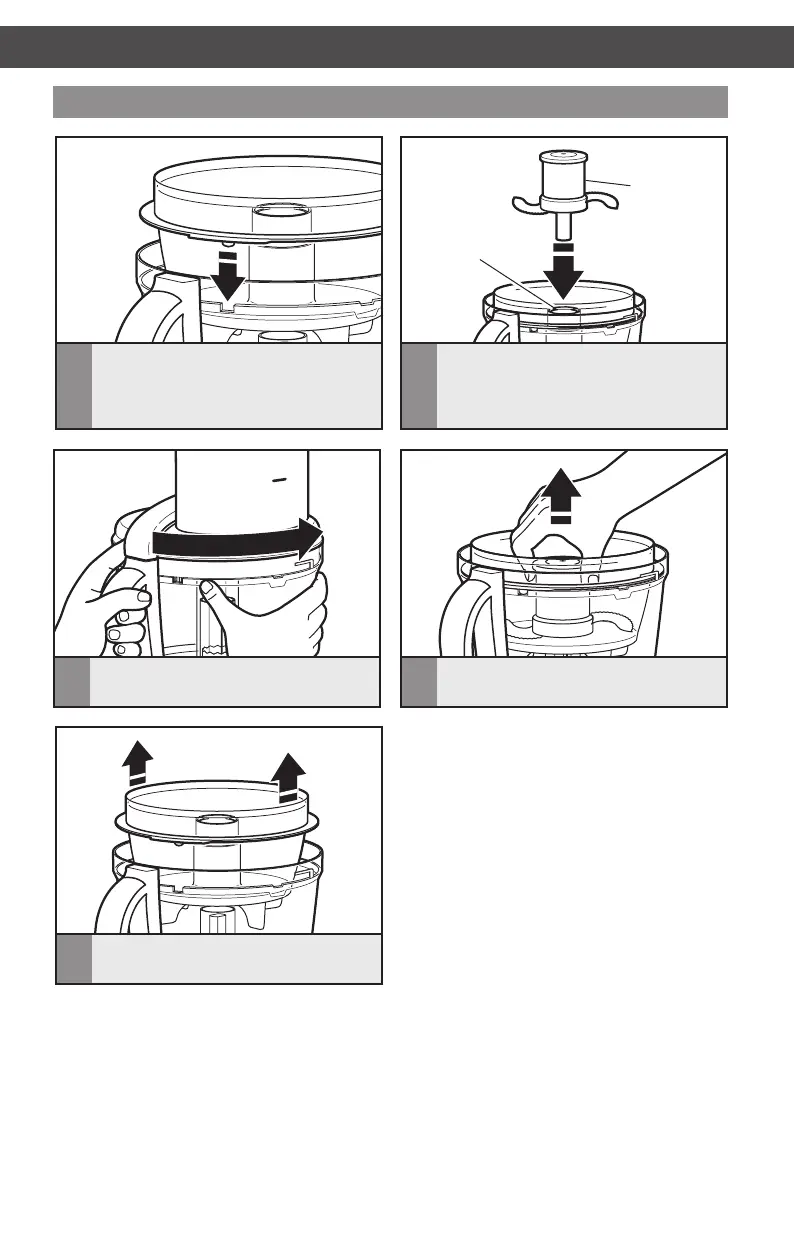
Installing/removing the mini-bowl and mini-blade
Mini-blade
Power shaft
3
Install the lid, aligning the tabs and
locking it into place.
4
Remove the lid. Grasp and pull the
mini-blade straight up.
1
Place the mini-bowl inside the work
bowl, making sure the tab on the
mini-bowl lines up with the notch in
the work bowl.
2
Press down firmly on the mini-blade.
You will hear a click when it locks
into place.
5
Lift the mini-bowl straight up
to remove.
USING YOUR ACCESSORIES
W10529664B_01_ENv07.indd 24 8/8/14 1:57 PM


 To Next Page
 Loading...