KLR.950 Revision: 2023-10-06
Serial numbers: 3008 – beyond
KLR.00001 – beyond
45
6.2.8: 24 volts power supply
CAUTION
Electrification or electrocution hazard, only qualified
technician can perform these tasks.
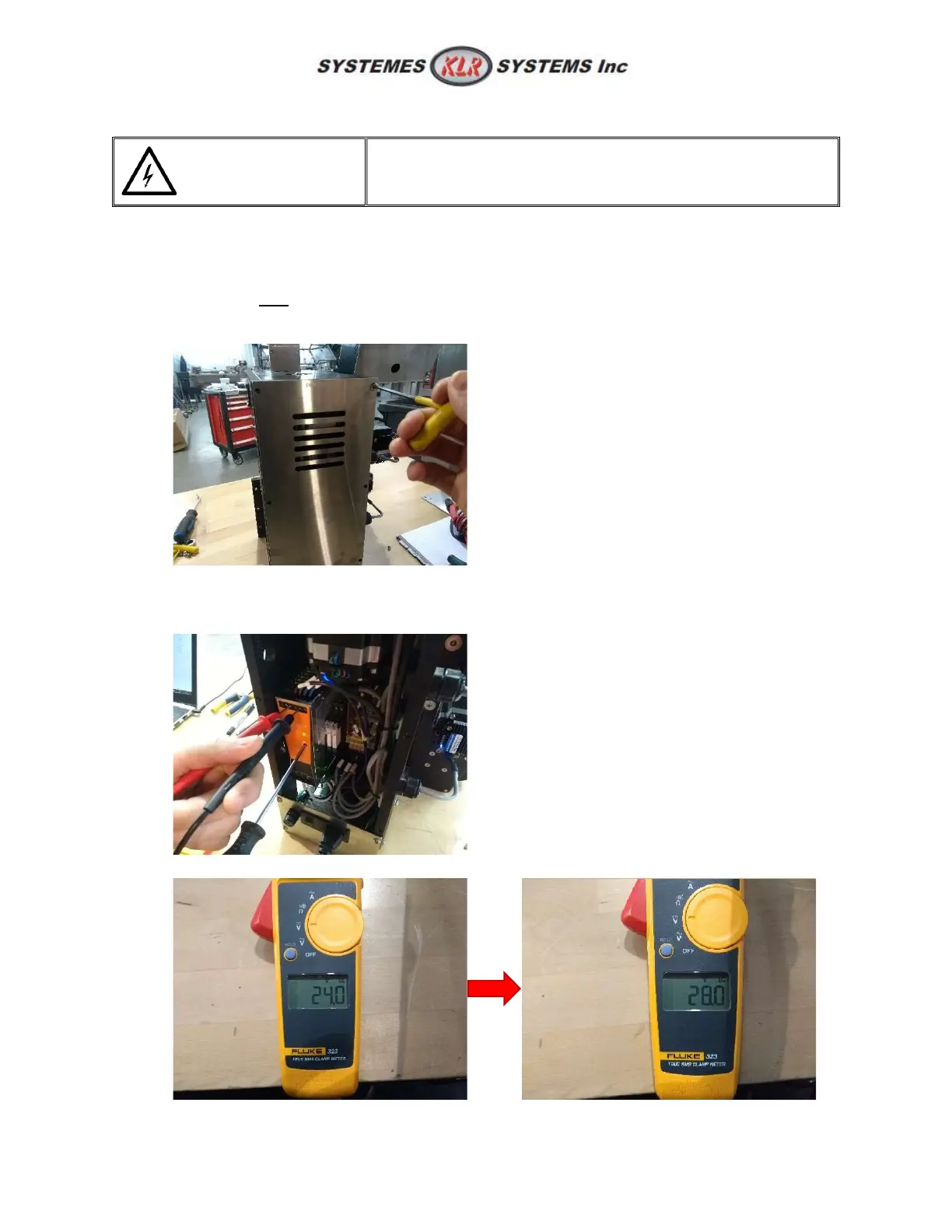
When changing the power supply, or to troubleshoot a not functioning ink printer. The power supply
must be set to 28 volts rather than 24 volts. Follow these step when power supply is replaced.
Note: From KLR, the power supply setting will always be 28 volts regardless of what options on the
machine. But in fact, only the machine that uses an ink jet printer must be cranked to 28 volts.
1. Remove the back panel;
2. Turn ON the machine;
3. With a multimeter set to DC, probe the + and – from the output and use a terminal screwdriver
on the ADJUST screw;
4. Adjust the voltage until you reach 28 volts;



 To Next Page