KLR.950 Revision: 2023-10-06
Serial numbers: 3008 – beyond
KLR.00001 – beyond
16
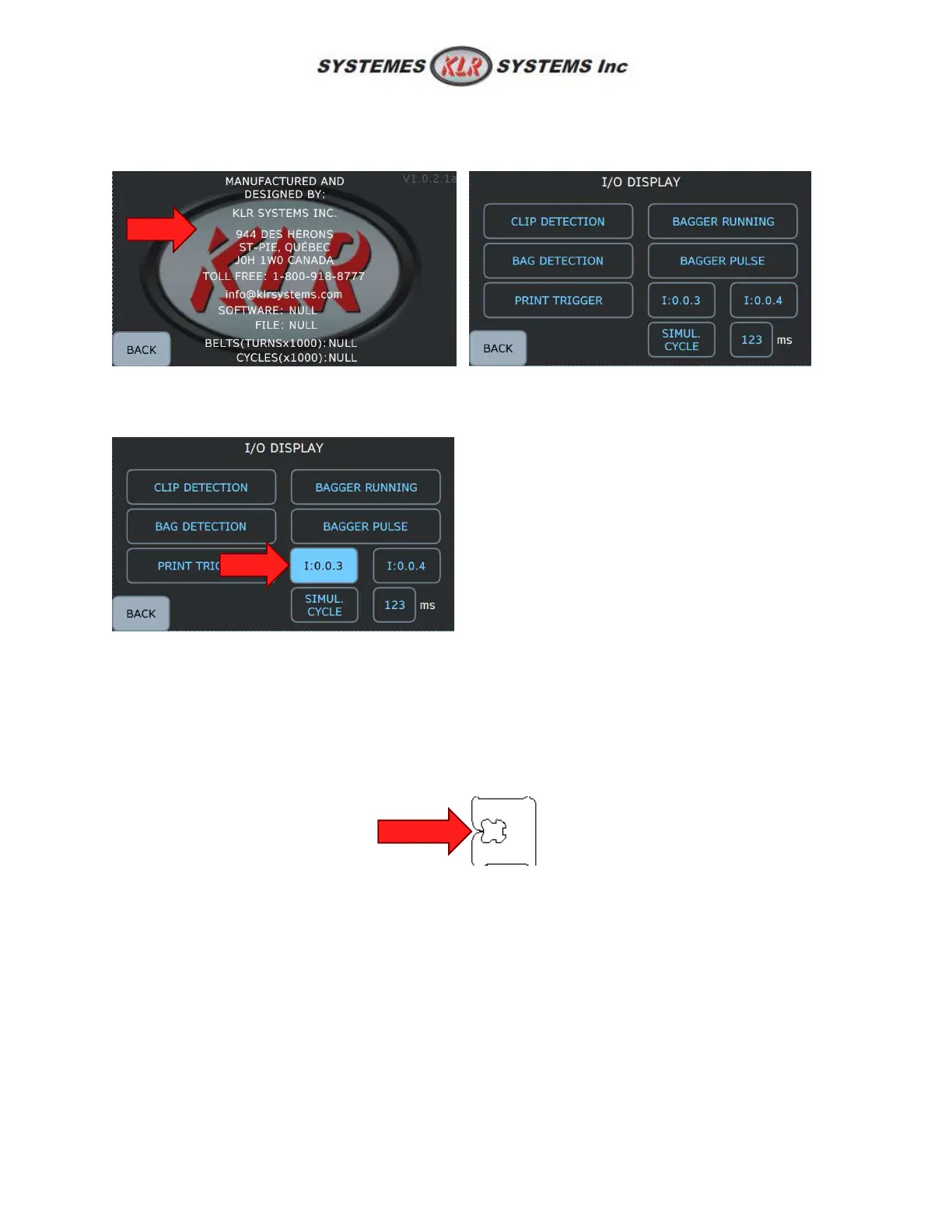
5.2.4: Troubleshooting page
To reach the troubleshooting page, click anywhere on the display on the information screen (see 5.1.3)
Now in this screen, user can test multiple things. For example, testing input 3 (I:0.0.3) will turn blue the
icon if the PLC read succesfully the sensor.
5.3: Load and unload clips
1. Turn ON the switch in the back of the equipment.
2. Add a clip roll onto the clip holder. Clips opening must be oriented toward the belt carriages. See
installation procedures to know how to correctly position the clip holder according if it is a left or
a right version.
3. Secure the clips with the back end inserting until it goes into the plunger clearance.
4. Remove the date sticker off the roll and keep the clip in the hand.



 To Next Page