KLR.950 Revision: 2023-10-06
Serial numbers: 3008 – beyond
KLR.00001 – beyond
18
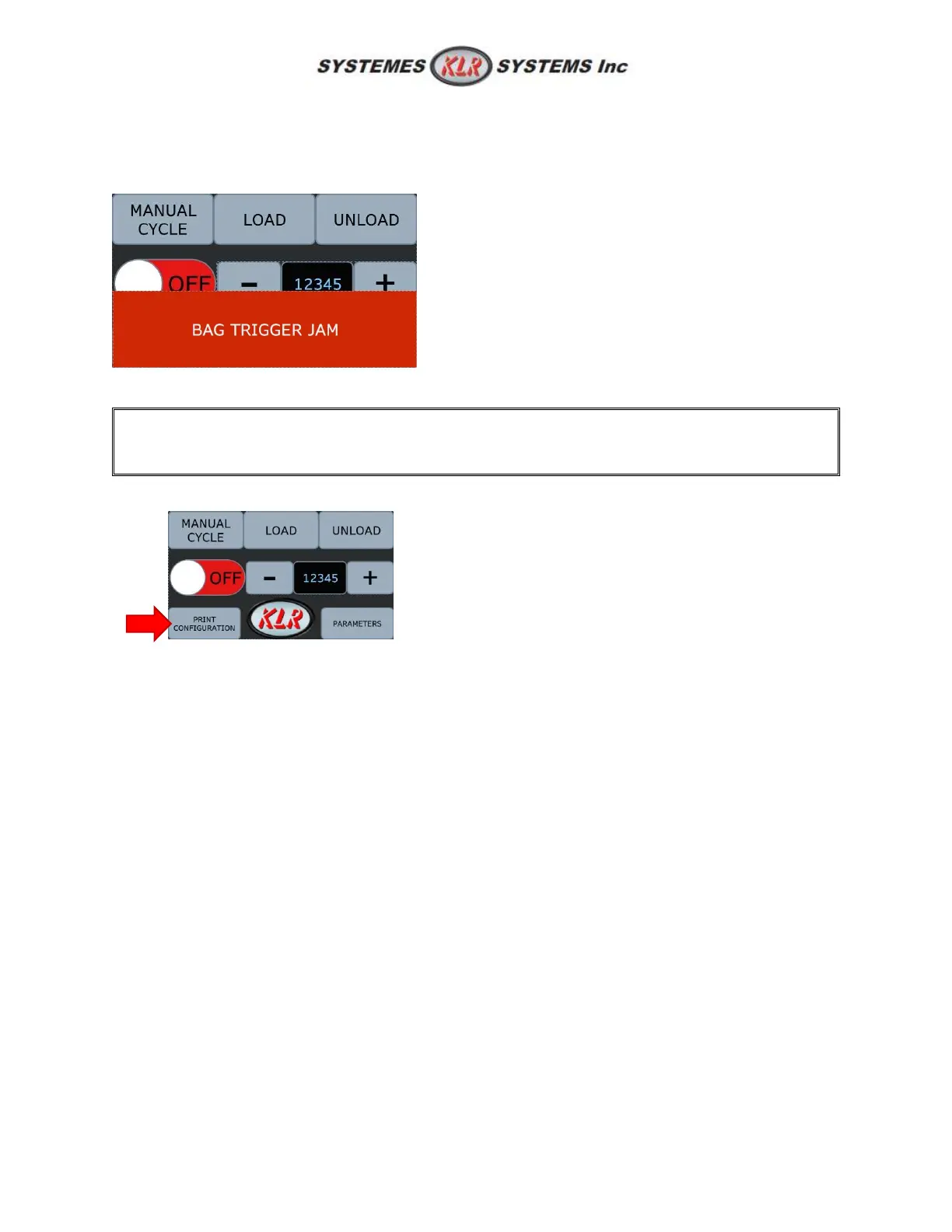
5.3.1: Clips run out
In case the bag closer run out of clips, a pop-up message will show up saying "Bag trigger jam". If the
machine is in the interlock mod, it will send a signal to the bagger a stop request.
5.4: Ink jet printer configuration
This section is only for the machine that has the
manual). Moreover, "air printer" is another option available on this equipment. To have more
information regarding to air printer, (see KLR.930 manual).
Press PRINT CONFIGURATION button.
5.4: Turn ON the machine
Turn power ON;
Change the speed of the belts according to the speed of the conveyor;
Press ON/OFF button;
Important: Stay close by and inspect the first couple products.
5.4.1: Adjustment
During running, you may notice some irregularity or unproper closing, here is what to do to fix these
problems quickly:
1. Clip is too close to the product: unscrew the angle bracket and rotate the machine slightly
toward the exterior of the conveyor;
5.5: Advanced parameters
See "Unlock advanced parameters" to know how to reach this section. There is some configuration
available on the first page. To change one of them, press the number itself. When finished, press
LOGOUT to relock the parameters.



 To Next Page