K20s
antenna height, sampling interval, record mode and data type.
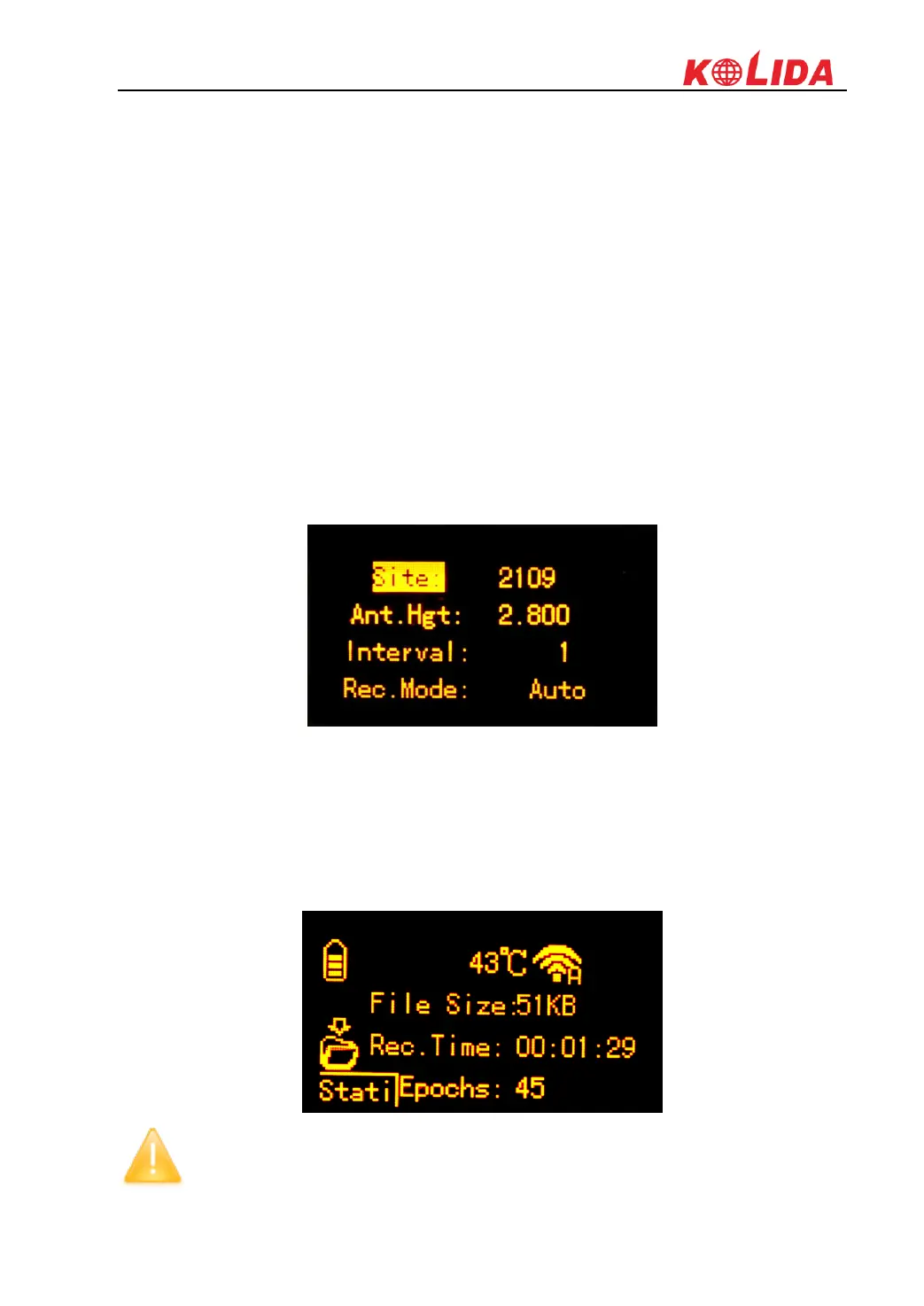
Site: this is point ID for static, and it is the last 4 digits from serial number, but you can edit it if
you choose this item, there are 0-9 and A-Z for each digit.
Ant.Hgt: This is the antenna height measure from ground point to measurement tape
Interval: This is the sampling rate for raw data storage
Rec.Mode: Auto indicates to collect static data automatically when the environment is OK;
Manual indicates to start collection manually.
DataType: This is used to choose the data format for raw data storage, such as STH, Rinex2.01
and Rinex3.02
Press F key to move to Edit option and press power key to confirm, here you can select the item
to edit by pressing F key. For example, press F key to move to Data type item and press power
key to setup what kind of data format we are going to record, press F key to move to Rinex2.x or
Rinex3.x and press power key to confirm, after that, press F key to move to OK option and press
Power key to finish setting and return to the coordinate/skyplot page.
After the receiver starts to record static data, the recording information (file size, recording time
and the epochs) will show on the screen.
File Size: Real-time display the size of data file
Rec.Time: Real-time display the recording time
Epochs: Real-time display the quantity of epochs receiver already obtained
NOTE: Please make sure the static parameters are the same when there are several
receivers to collect static data at the same time.



 To Next Page