K20s
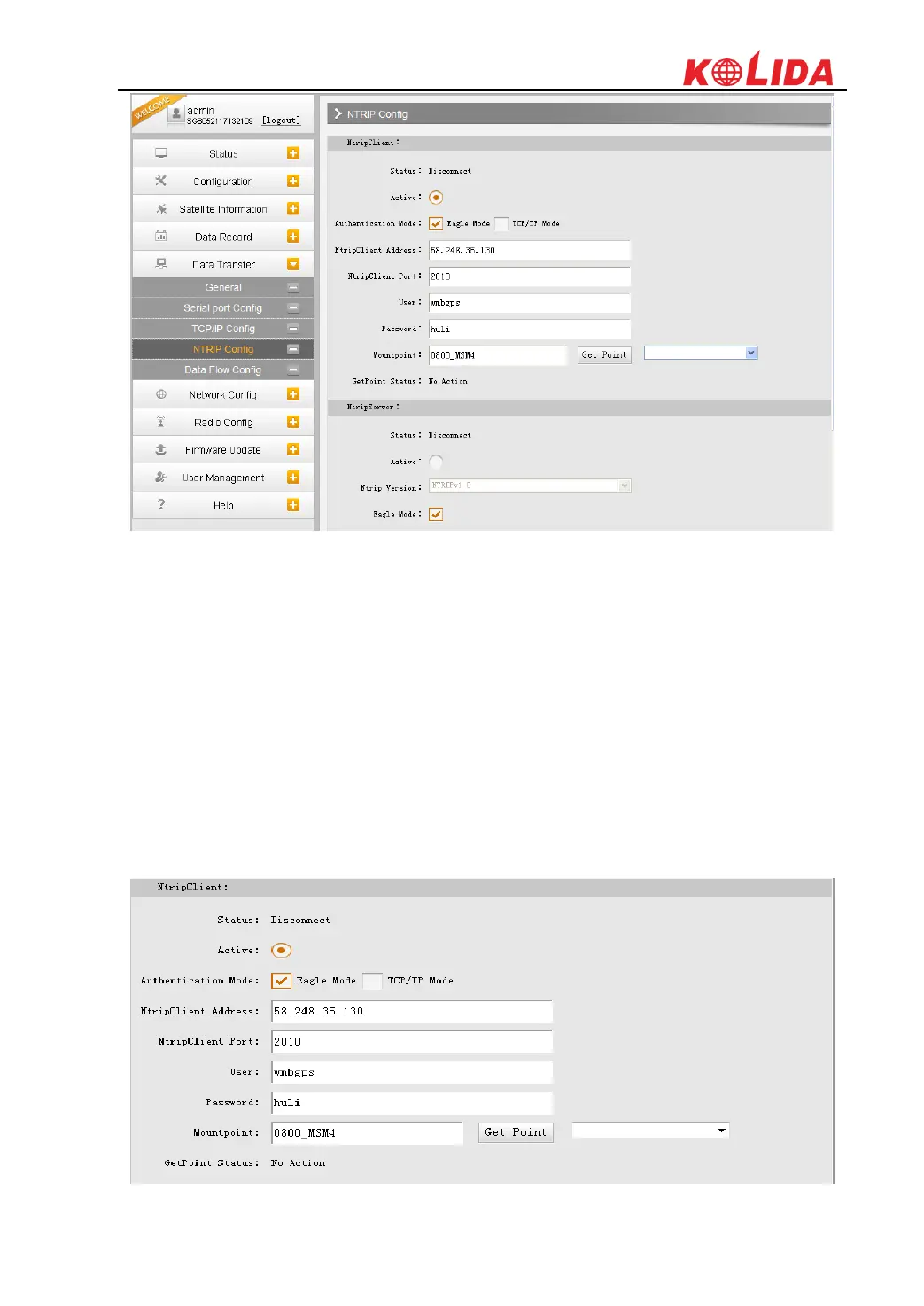
NtripClient
This function is for Rover in network mode to download corrections from server. We need to
input IP, Port, assigned username and password to acquire mountpoint and connect to server.
Status: This field will display the status of NTRIP connection, connect or disconnect.
Active: Check on this circle to activate this function.
Authentication Mode: These two modes use different protocol standard for the connection,
Eagle Mode is KOLIDA standard mode, and TCP/IP Mode is for private network use, usually,
choose the Eagle mode for the default setting.
The next fields are the standard configuration for NTRIP connection, IP, port, username and
password, after these information is input into the corresponding field, click on Get Point button
to download the source table from server, then choose a proper mountpoint to access.



 To Next Page