LU-403/404
4. MECHANICAL ADJUSTMENT
39
Field Service Ver2.0 Aug.2005
ADJUSTMENT/SETTING
4. MECHANICAL ADJUSTMENT
4.1 Feed roller pressure adjustment (LU-404 only)
Conduct the feed roller pressure adjustment when there occurs a no feed condition while in the paper feed.
Note
• Adjusting the feed roller pressure changes the pick-up release amount. So after completion of
adjustment, be sure to check the pick-up release amount.
• Be sure to purchase the paper feed assist plate (P/N: 13FG4062*) separately since it is supplemen-
tal part.
A. Procedure
1.
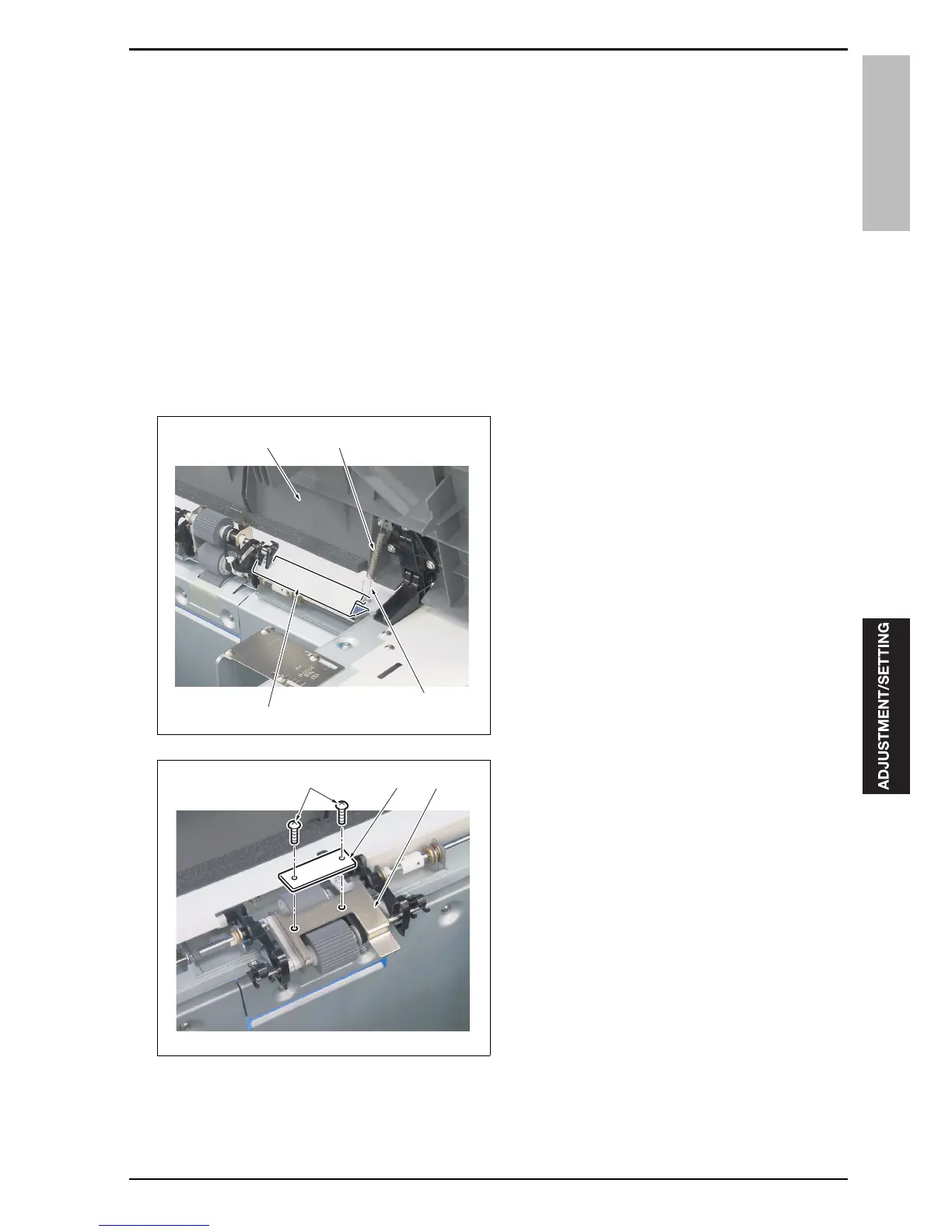
Open the upper door [1].
2.
Release the hook [3] of the spring [2] from the
paper feed guide plate [4].
3.
Install the paper feed assist plate [1] to the paper
feed roller unit plate [2] with 2 screws [3].
4.
Make a print and check to see if a no feed condi-
tion occurs.
Note
• When a no feed condition recurs, increase the
number of paper feed assist plates. When a
double feed condition occurs, decrease the
number of plates.
• Up to six paper feed assist plates can be set.
5.
When a no feed or double feed condition occurs,
repeat Steps 3 and 4.
6.
Check the pick-up release amount. (See "4.7
Pick-up release amount adjustment")
[4]
[3]
[1] [2]
15swf3c001na
[3] [1] [2]
15swf3c002na










 To Next Page