Chapter 3 Field Service
3-13
5.
Click the [Details] button.
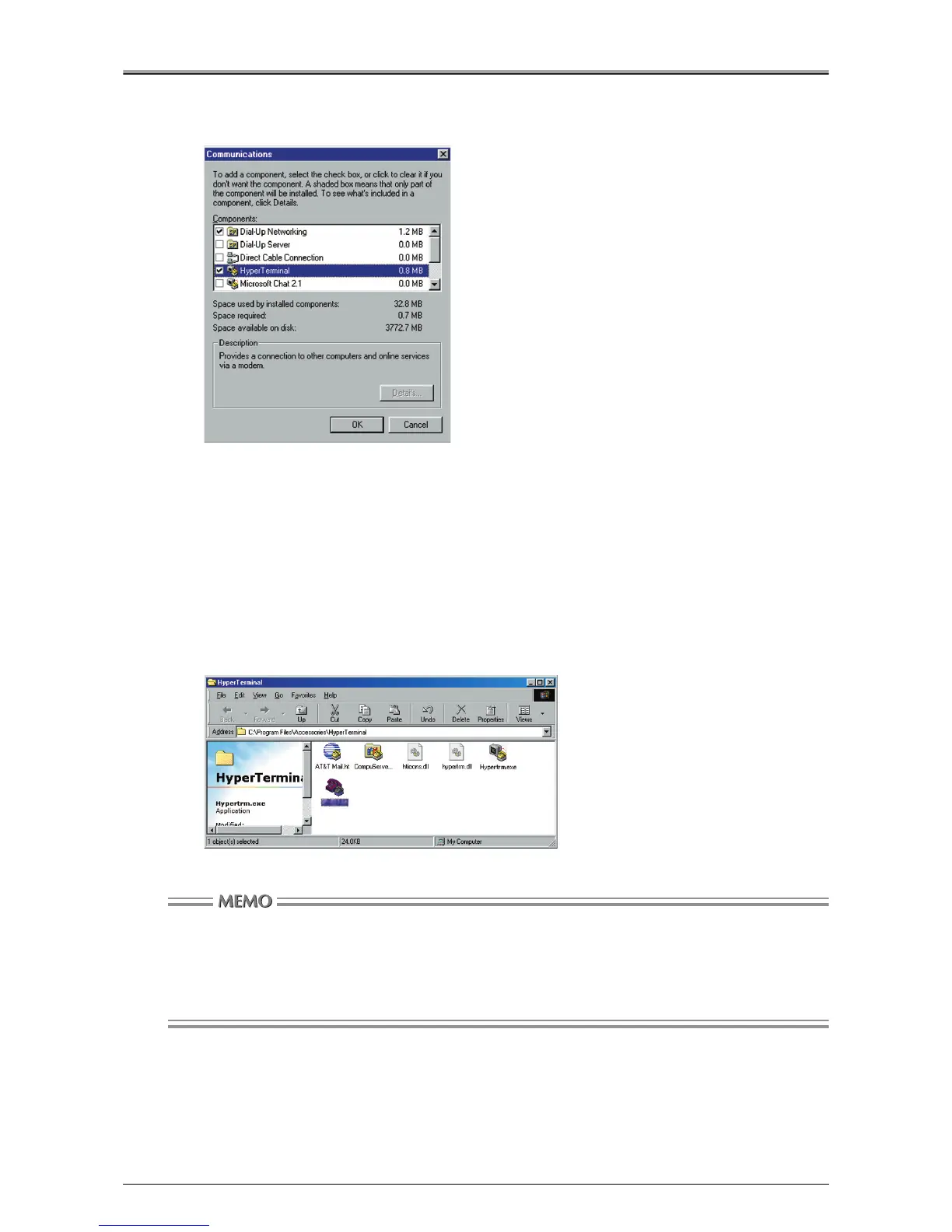
[Communications] window will appear.
6.
Check the [HyperTerminal] check box, and click the [OK] button.
7.
When the [Add/Remove Programs Properties] window reopens, click the [OK] button.
The necessary files are copied and the installation is completed.
Booting Up HyperTerminal
1.
Select [Start]-[Programs]-[Accessories]-[Communications]-[HyperTerminal].
[HyperTerminal] window will appear.
Once the connection has been established, the connection settings are stored with an icon. You can
name this icon in step 3, below.
If an icon has already been created (i.e., if the copier connection settings have already been stored in
memory), there is no need for you to complete the following steps because the connection with
HyperTerminal is established by double-clicking that icon.












 To Next Page