Chapter 3 Field Service
3-14
2.
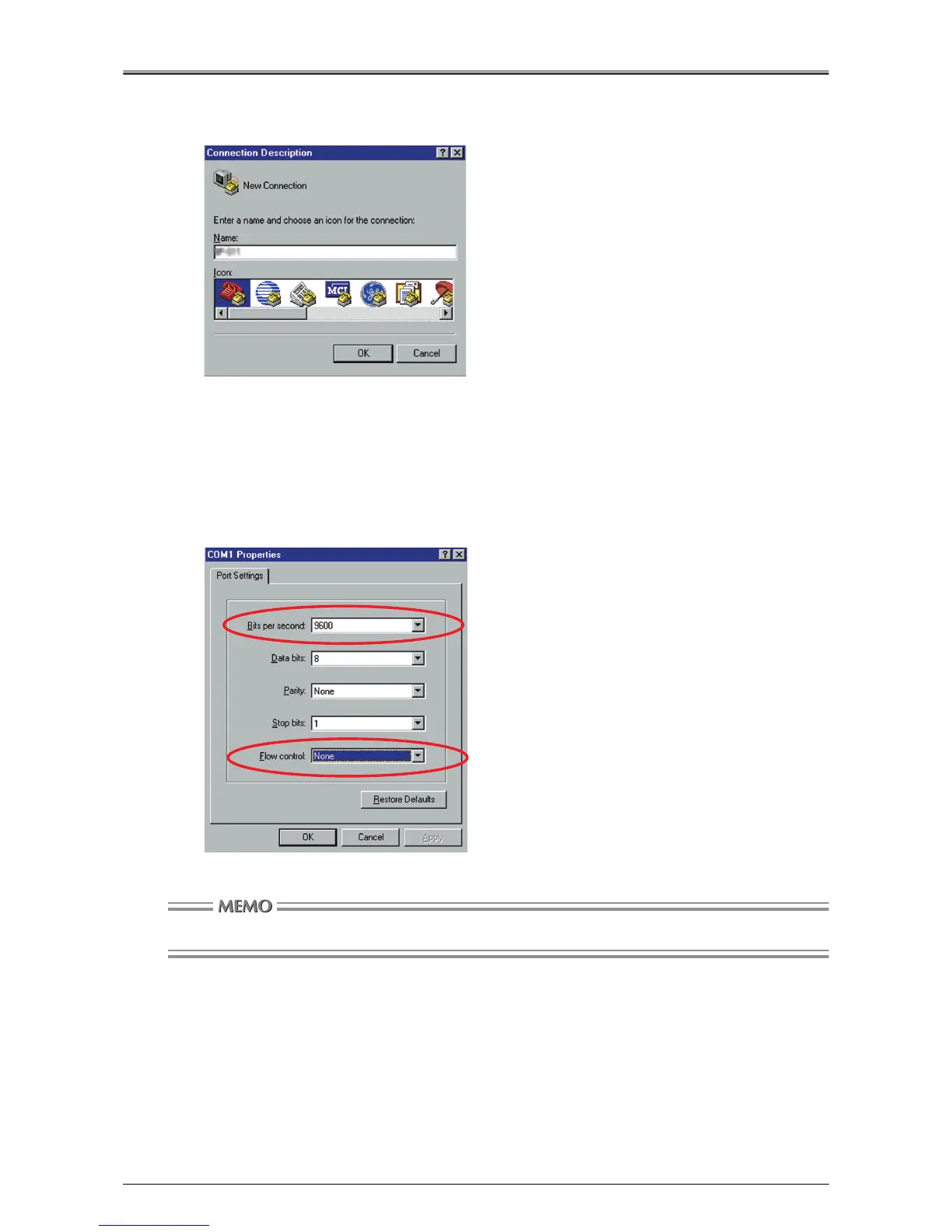
Double-click [Hypertrm.exe].
[Connection Description] window will appear.
3.
Enter a name, and click the [OK] button.
4.
Select [Direct to COM (1 - 4)] under [Connect using], then click the [OK] button.
[COMx Properties] window will appear.
5.
Set the Port Settings as follows, and click the [OK] button.
Use the Windows default settings for all the settings except [Bits per second] and [Flow control].
Here you cannot change the serial port settings on the print controller.
Bits per second: 9600
Data bits: 8
Parity: None
Stop bits: 1
Flow control: None












 To Next Page