Using the Editor
11
board, stopping at the last selected step.
If you select a range of steps as the Insert Before or Insert Aer destination, only the rst or last step matters. Insert
Before refers to the rst selected step, and Insert Aer refers to the last selected step.
Motion Sequence editing
Motion Sequence
Inspector
Motion Sequence Inspector
is area shows details for the currently selected Lane or Step.
To edit Lane parameters, click on the Lane’s title. To edit Step parameters, click on a Step.
Changing the number of displayed steps
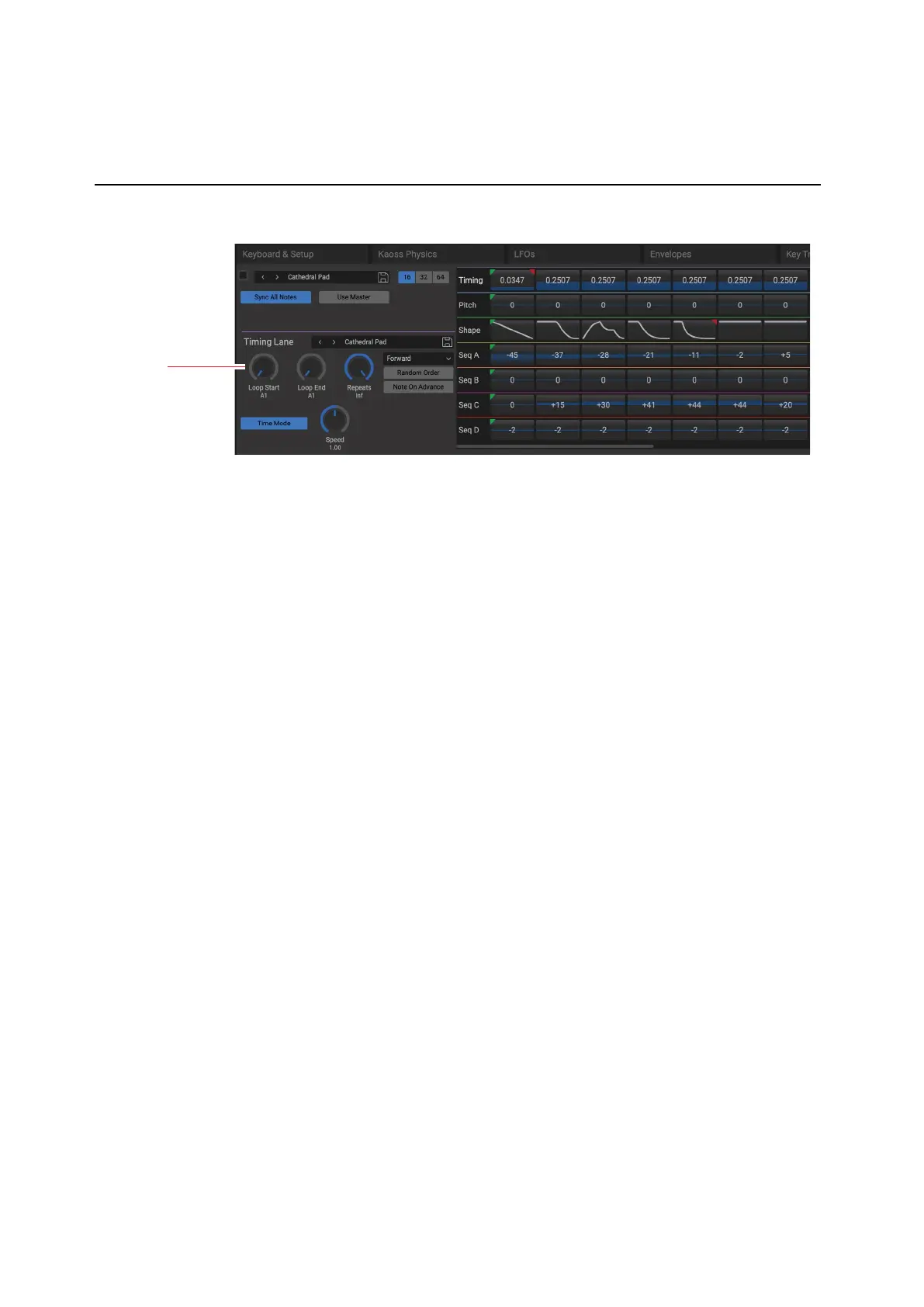
Use the 16/32/64 step buttons to adjust the viewable range of the display, to show 16, 32, or 64 steps, respectively.
Editing Start, End, and Loop steps
e triangles above the Steps show the Loop Start (green) and Loop End (red). To edit, just click and drag on the
triangles.
Editing values on the Step graphics
For the Pitch and Step Sequence lanes, as well as the Timing Lane when Tempo is o, drag on Steps in the graphic to
edit the Transpose, Step value, or Duration, respectively.
For the Shape lane, as well as the Timing Lane when Tempo is on, click and hold to bring up a popup menu to select the
Shape or note value, respectively.
Solo Step
Step solo mode makes the Lane temporarily loop on the selected Step, for auditioning shapes, troubleshooting, etc.
To enter Step Solo mode:
1. Right-click or control-click (macOS) on a Step to bring up the contextual menu.
2. Select the Solo Step command.
e Step will be marked with a yellow outline.
e Motion Sequence will play as if that Lane was set to loop on the selected Step. Other Lanes will continue to play
normally. If you select other Steps in the current Lane, solo will follow the selected Step.
To exit Step Solo mode, bring up the contextual menu and un-select Solo Step.
Only one Lane at a time can be in Step Solo mode. If you enter Step Solo mode for a second Lane, the rst Lane’s Step
Solo mode is turned o automatically. Changing to a dierent Layer also turns o Step Solo mode.


 To Next Page