Windows
23
Set List window
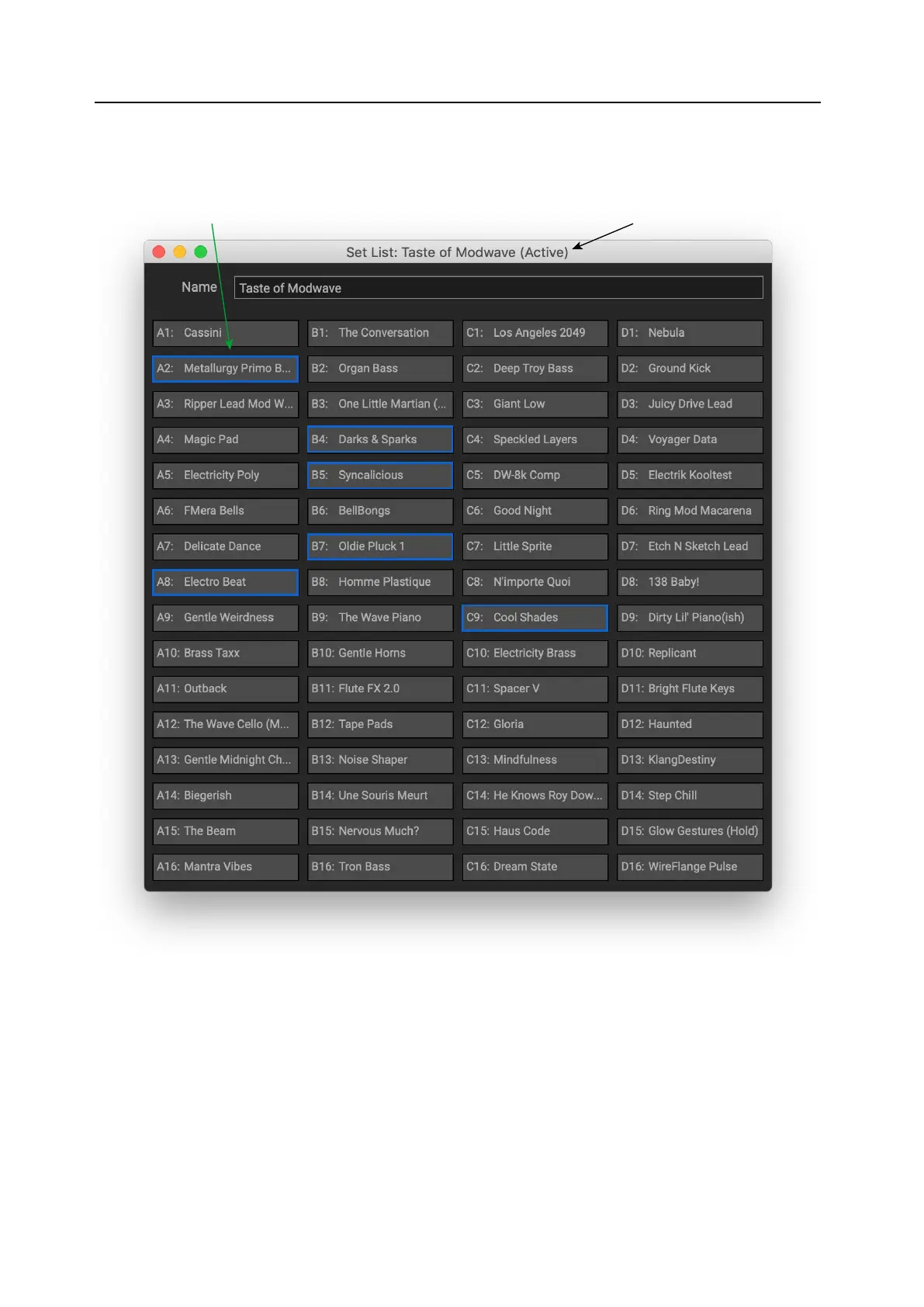
is window shows all 64 Slots of a Set List. You can open multiple Set List windows at once. If one of the windows
shows the Set List currently selected on the modwave, the note “(Active)” appears aer its name in the title bar.
Slots selected for cut/copy/paste are outlined in blue “Active” shows Set List selected on instrument
e name of the Set List is shown both in the window’s title bar, and in an editable eld at the top of the window.
As with the rest of the Editor/Librarian, any edits to Set Lists take eect immediately.
Selected Slots are shown with a blue outline. You can select multiple non-continuous Slots by holding down the
command key on MacOS, or the Ctrl key in Windows. Alternatively, select a range of Slots by using Shi.
For detailed instructions about using this window, see “Editing Set Lists” on page16.


 To Next Page