Using the Librarian
19
Editing Global UTILITY Settings
Overview
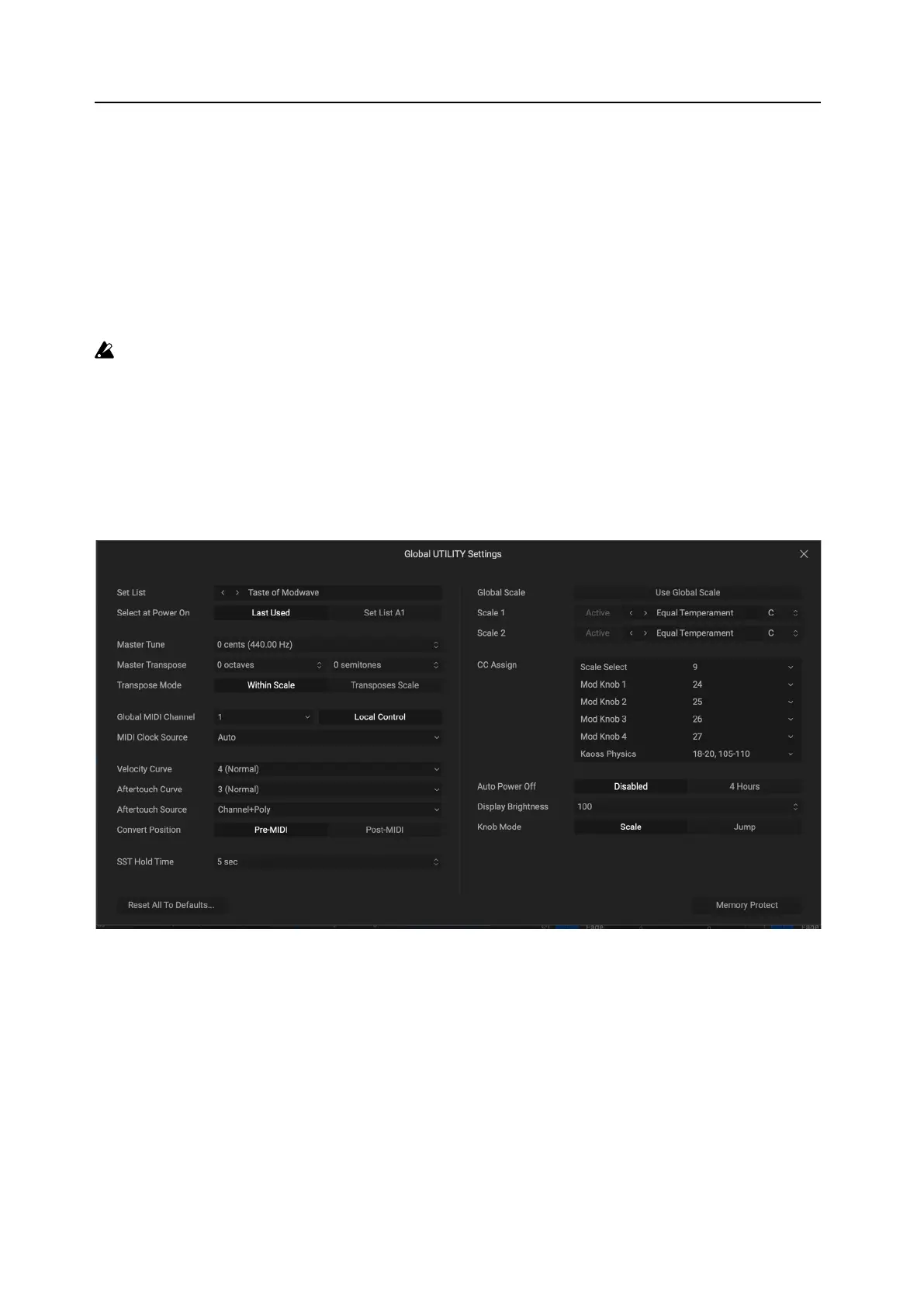
e Editor/Libarian can edit most of the settings found under the UTILITY button. (e USB Network setting is an
exception.) To do so:
1. Select the Global UTILITY Settings… command in the Edit menu.
e Global UTILITY Settings window will open, as shown below.
2. Edit the settings as desired.
For details about the settings, please see the modwave Owner’s Manual.
3. When you’re done, click the close button (“X”) in the top right corner.
Important: Edits in this window take place immediately; there is no Cancel button. You can, however, use
Reset All To Defaults if necessary.
Restoring Defaults
Reset All To Defaults…
is button is in the lower le corner of the window. It lets you restore all of the settings under the UTILITY button,
such as the MIDI CC assignments, to their factory defaults.
Pressing the button brings up a conrmation dialog. Press OK to restore default settings, or Cancel to exit.
Global UTILITY Settings



 To Next Page