Installation
4
Installation
modwave software version 2.1.5 or later is required
Check the soware version of the modwave:
1. Press UTILITY and then SHIFT + < (PAGE -).
is will take you to the About page. e version number is shown at the top of the screen. If the version is below
2.1.5, you’ll need to update the modwave before continuing. e latest modwave soware can be installed via the Korg
System Updater, downloaded from the Korg website (http://www.korg.com/ ).
What’s installed on my computer, and why?
e Editor/Librarian communicates with the modwave using networking over USB, as opposed to MIDI. To
automatically identify and connect with the modwave over the network, the Editor/Librarian uses the mDNS standard.
On Windows, this requires Apple Inc.’s Bonjour, and so this is installed along with the Editor/Librarian application.
USB Network must be set to NCM
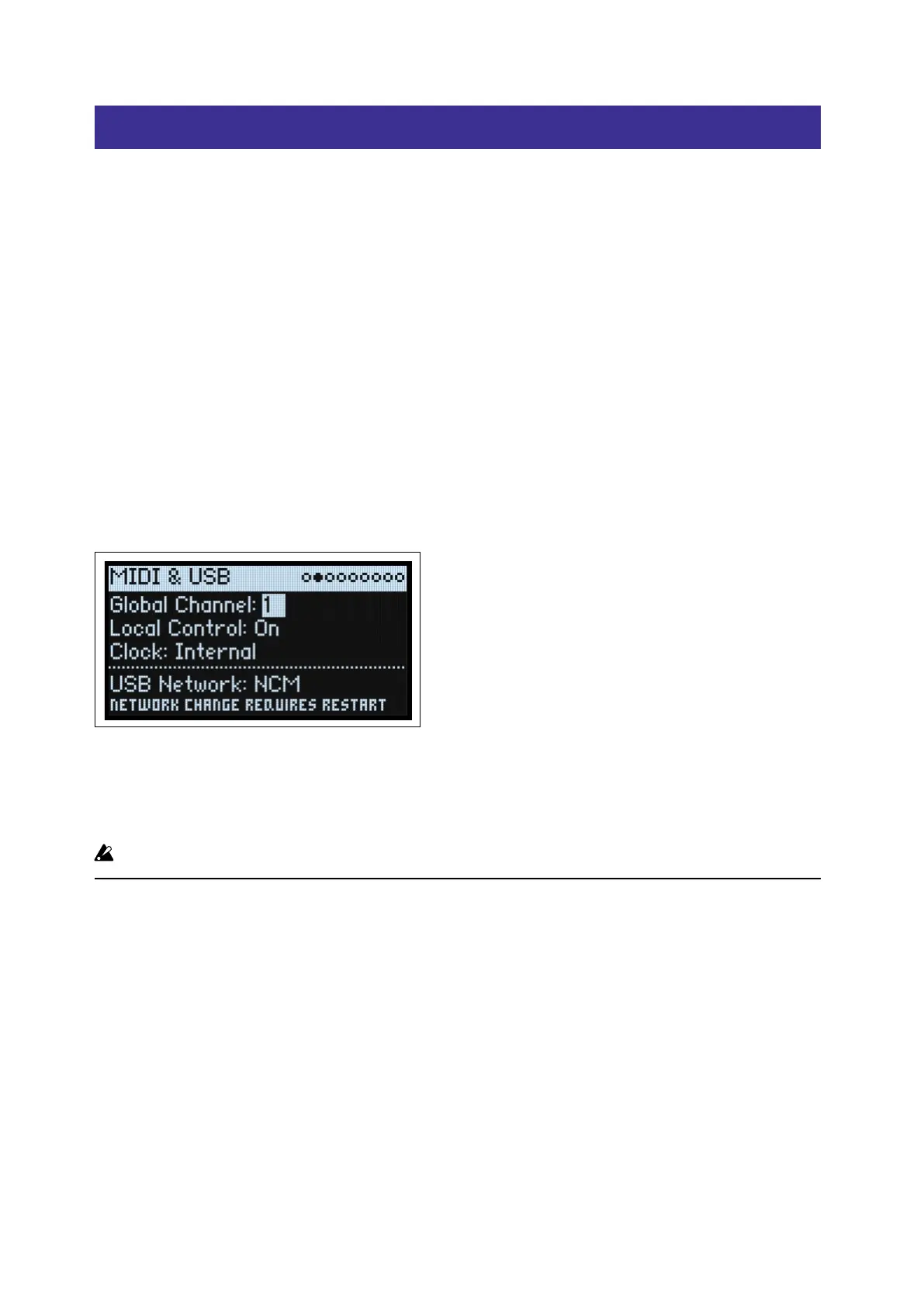
To use the Editor/Librarian, the modwave’s USB Network parameter must be set to NCM. To make sure that this is set
correctly:
1. Press UTILITY twice, and then hold SHIFT and press > (PAGE +).
is takes you to the MIDI & USB page, as shown below.
2. Make sure that USB Network is set to NCM.
3. If you had to change this from RNDIS to NCM, turn o and restart the instrument before proceeding.
USB Network
[RNDIS, NCM]
RNDIS: is is the legacy RNDIS protocol, which is no longer supported by the Editor/Librarian.
NCM: is is the Network Control Model protocol, for use with MacOS and Windows 10 and later.
Important: Changes to this parameter take eect only aer the modwave has been turned o and restarted.
MacOS
To install the soware on MacOS:
1. On the modwave, make sure that the USB Network parameter is set to NCM.
For more information, see “USB Network must be set to NCM” on page4.
2. Connect your modwave to the computer via USB.
3. Open the modwave Editor/Librarian [version number] .dmg le in the Finder.
e disk image will open.
4. On the disk image, open the modwave Editor/Librarian [version number] .pkg le.
e installer will start.
5. Follow the on-screen instructions to complete the installation. Enter your administrator password when
prompted.
e installation will run, and the Editor/Librarian application will be installed in Applications/KORG/modwave.


 To Next Page