Windows
22
Editor
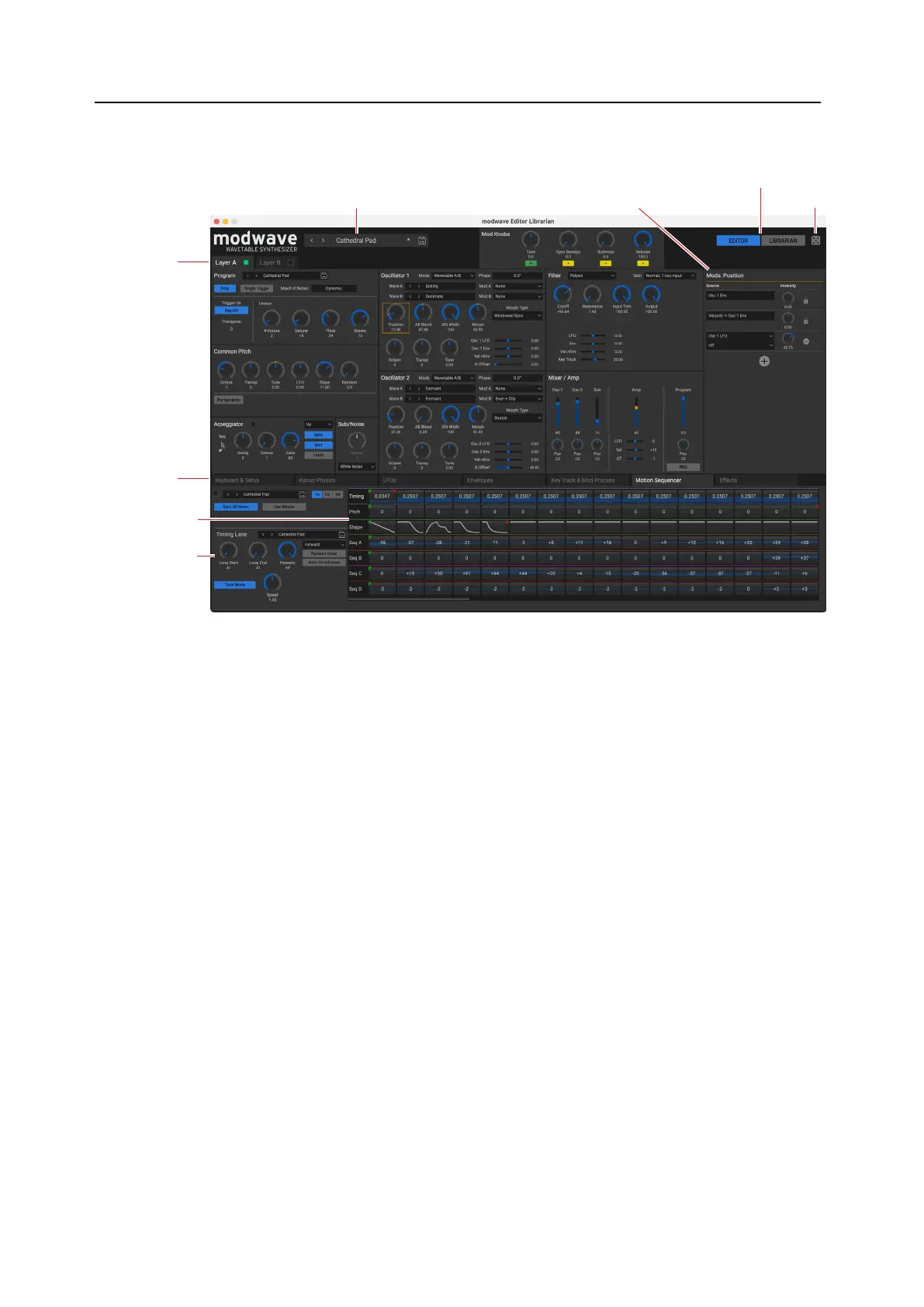
is shows the parameters for the current Performance.
Modulation InspectorCurrent Performance
Layers A/B
Motion Sequence
Editor
Motion Sequence
Inspector
Keyboard,
Mod Sources,
and Eects tabs
Randomize
Current Performance
is shows the Performance currently active on the connected modwave. is will update if you change the
Performance on the modwave, or if you select a Performance using the Editor/Librarian. For more information, see
“Performance Selection” on page24.
Modulation Inspector
is shows the modulation routings for the selected parameter. You can add or delete routings from the list, and add
Intensity Modulation to existing modulation routings.
LIBRARIAN and EDITOR buttons
e buttons in the upper right of the main window select whether you’re working with the Editor or the Librarian.
Layers A-B
ese tabs select which of the Layers will be shown, and whether they are on (button lit green) or o.
Motion Sequence Editor
is area lets you select and edit the Motion Sequence Steps, and view the Motion Sequence in real-time.
Motion Sequence Inspector
is area shows the parameters for the selected Motion Sequence Lane or Motion Sequence Step.
Keyboard, Mod Sources, and Eects tabs
ese let you edit the key and velocity zones, LFOs, Envelopes, Key Tracking, Mod Processors, and eects. You can
drag from the mod sources here to modulate parameters in the main part of the screen, or even other modulation
parameters; see “Drag and drop modulation routings” on page 12.



 To Next Page