Using the Editor
12
Modulation
e Editor shows real-time modulated values as orange dots on knobs and sliders. If a parameter is shown only as a text
or numeric box, and it is modulated, the text is shown in orange.
Modulation inspector
e modulation inspector in the upper right shows the modulation routings, if any, for the selected parameter (marked
by an orange box). You can also add new modulations or delete existing ones.
Drag and drop modulation routings
To create a modulation routing using drag and drop:
1. Click on the name of any of the following: the Mod or Pitch wheel, Mod Knobs, Kaoss Physics, Envelopes,
LFOs, Filter or Amp Key Track, or Mod Processors.
For the Mod Knobs and wheels in particular, make sure to click on the name, and not the control or value display!
2. Drag to a modulation destination.
Modulating one mod source with another
You can also drag-and-drop to modulate one mod source with another. To create this sort of routing via drag-and-drop:
1. Click on the name of the mod source, as above.
2. Drag and hold over the tab for the desired modulation destination.
For example, to modulate the Filter LFO, hold over the LFOs tab.
Aer a moment, the tab will open.
3. Once the tab opens and displays its contents, drag to the desired destination.
Fixed modulation routings
Fixed modulation routings, such as Filter LFO to Filter Cuto, are shown in the Mod Inspector. ese routings are
marked by a lock icon, and dier from user-created modulation routings in several ways: they cannot be deleted, the
mod source cannot be changed, and there is no second modulation source.
Eects
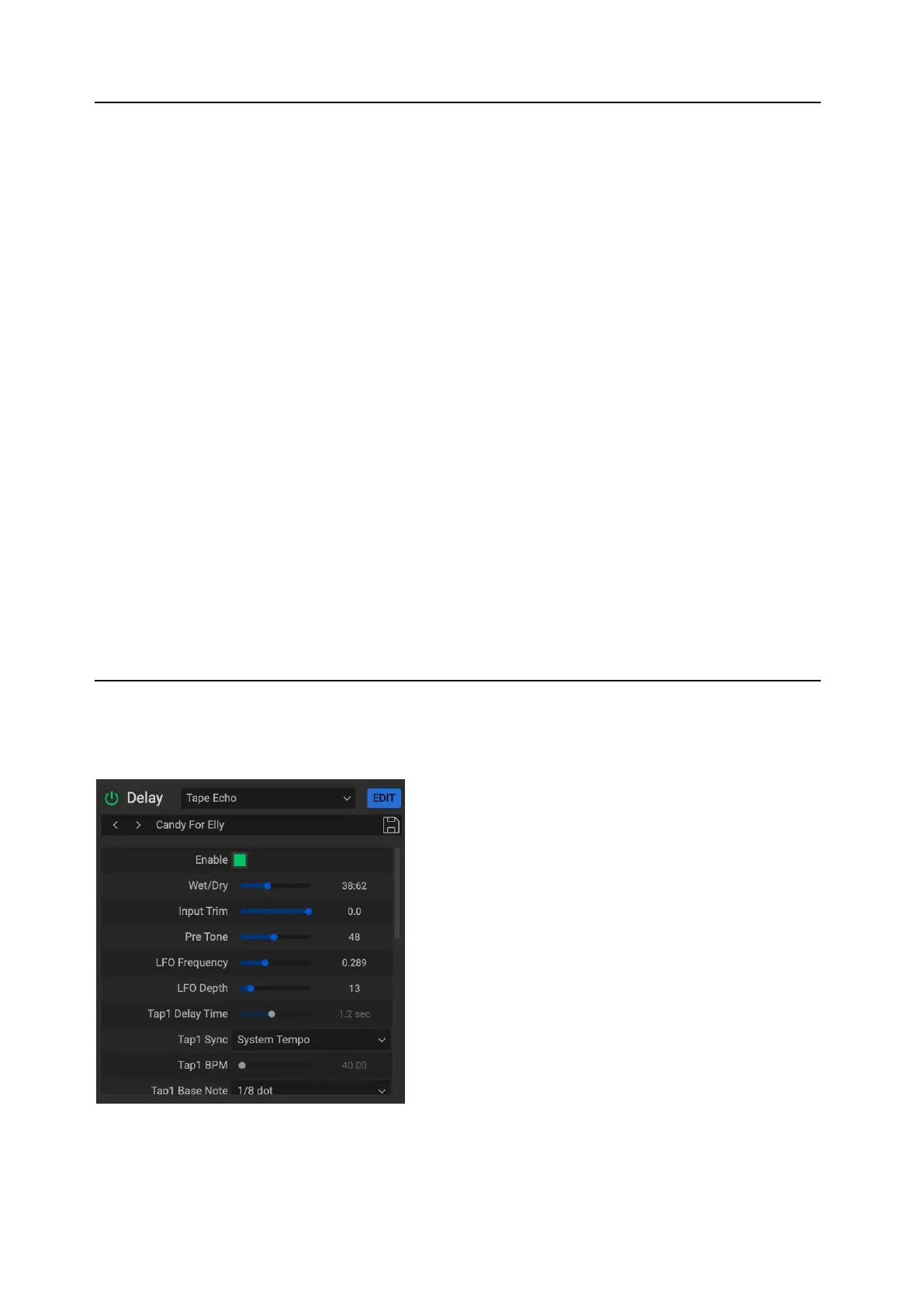
Using the Editor, you can edit internal eects parameters and save Eects Presets.
Press the EDIT button next to the eect name to show the full list of eects parameters.
Modulation of internal parameters is allowed only from the FX Edit 1/2/3 knobs. To modulate eects from other
sources, such as the Mod Wheel or the Mod Knobs, assign the internal parameter to one of the FX Edit knobs, and then
modulate the FX Edit knob from the desired source.



 To Next Page