Troubleshooting
28
Troubleshooting
Software won’t start up
Make sure that your computer meets the operating requirements
See “Operating requirements” on page3.
Check whether other applications might be running
If other applications are running, it is possible that they might somehow interfere with the modwave Editor/Librarian.
As a troubleshooting step, quit the other applications.
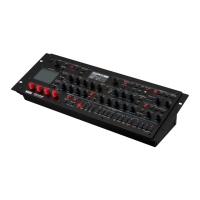
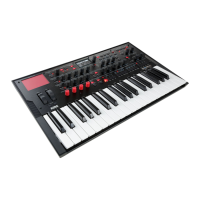
Can’t connect to the modwave
Make sure that the modwave is connected via USB
e Editor/Librarian requires USB, and cannot communicate with the modwave over 5-pin DIN MIDI.
Try connecting the modwave directly to your computer, without a USB hub
Faulty hubs may interfere with the connection. Hubs must support USB 2.0 or better.
Try a dierent USB cable
A faulty cable might interfere with the connection.
Conrm that the modwave is running software version 2.1.5 or later
To check the soware version number, press UTILITY and then SHIFT + < (PAGE -).
Make sure that the modwave has been detected by the connected computer
Windows: open the Device Manager (see the instructions under “Windows” on page5) and check the “Other
Devices” tab. If the modwave does not appear, repeat the NCM or RNDIS conguration procedure.
Mac OS: open the System Preferences application, in the Applications folder. Go to the Network panel, and check the
list of networks and network devices on the le of the window.
Make sure that the required network ports are not blocked by a software rewall
When communicating with the modwave over USB, the Editor/Librarian uses TCP ports 50000 and 50001, and
Bonjour uses UDP port 5353. ese won’t be aected by an external rewall in a separate server or router, but can be
blocked by a soware rewall running on the same computer.
Disable VPN software
Some users have reported that VPN soware may interfere with communication to the modwave.
Windows: conrm that Bonjour is running
Open Services, nd Bonjour Service in the list, and conrm that its Status is Running and Startup Type is set to
Automatic.
Conrm that you have the latest version of the Editor/Librarian
You can download the latest version from the Korg website (http://www.korg.com/ ).
Try restarting your computer
In some cases, the modwave may not be immediately recognized aer installation. If this occurs, simply restart your
computer.
Windows: check Device Manager
Open Device Manager, and nd the modwave. If it is not shown under Other devices or Network adapters, check under
Universal Serial Bus controllers. If there is a new device named “USB Composite Device,” marked by the “warning”
icon (an exclamation point in a yellow triangle), double-click on that entry to bring up the Properties dialog. If the
General tab shows the device status as “unable to start” with a code of -10, this may be the problem. To resolve this,
right-click on the USB Composite Device entry to bring up a contextual menu, and select the Uninstall Device option.
Press the Uninstall button on the dialog which appears. Aer this, disconnect the USB cable from the modwave, wait


 To Next Page