Menus
27
Show Editor
is switches the main window to show the Editor. It’s the same as pressing the Editor button in the upper right of the
window.
Zoom 50%…150%
is scales the entire Editor/Librarian window to be smaller or larger.
Devices menu
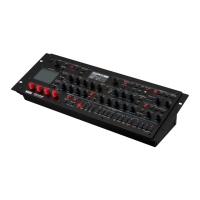
is menu shows the all of the modwaves connected to the computer, and selects one of them to be used by the
Editor/Librarian. If there are multiple modwaves, you can change between them at any time. Note: when you change
devices, the undo history will be cleared, and so undo/redo will no longer be available for past actions.
Data cannot be copied directly from one modwave to another; instead, use Export to save the data from the rst
modwave, and then Import to load the data into the second modwave.
Important: Before connecting multiple modwaves, make sure to set each instrument’s System ID to a dierent
number. For more information, see “Using the Editor/Librarian with two or more modwaves” on page6.
Windows menu
is menu shows all of the Editor/Librarian’s open windows. Select a window’s name to bring it to the front.
Main Window
e Main Window is always shown at the top of the menu. Note that closing the Main Window will quit the
Editor/Librarian application.
Set List Windows
Open Set List windows, if any, are listed below the Main Window.
Close All Set List Windows
is command closes all open Set List windows.
Close Current Set List Window
is command closes the front-most Set List window.
Help menu
Search eld (MacOS only)
is brings up the standard search menu for system help, including the application’s menu commands.
About modwave Editor/Librarian (Windows only)
is displays the soware version of the modwave Editor/Librarian.
Check for Updates…
is checks to see if a new version is available. If so, a dialog appears with a download link.
Open Online Manual
is opens the latest version of the PDF manual in your browser.


 To Next Page