1 Prepare Memory Card
The memory card MUST be formatted via camera when it is first time
used in this device, so device can work smoothly and prevent problems.
1.1 Notice on Memory Card
You need to insert and format a memory card on this camera before you
can start recording. MUST use Brand Name, Class-10, U3 or higher
speed Micro-SD Card which is purchased from official channels. This
device supports 8 to 128GB memory card. A 64GB SD card is provided.
If you want a larger capacity one, we recommend SAMSUNG Class 10,
U3 Speed Micro-SD Card. Get it from Amazon here: https://a.co/2tXJzIL
NOTE:
1. If you experience camera FREEZING/LAGGING or STOP Recording after
a few seconds while using the device. It is the issue of the MEMORY CARD,
NOT the camera issue. (See common issues on page 28 or Contact US.)
2. This 4K camera requires High-Speed Rating SPECIFIC Micro-SD Cards.
3. Do NOT Purchase the memory card from third-party sellers on eBay or any
online channels. Otherwise, it may be fake/poor-quality card and won’t work.
4. It is recommended to format TF card manually via the camera every month.
As TF card may have problems like slow reading/writing after a long time use.
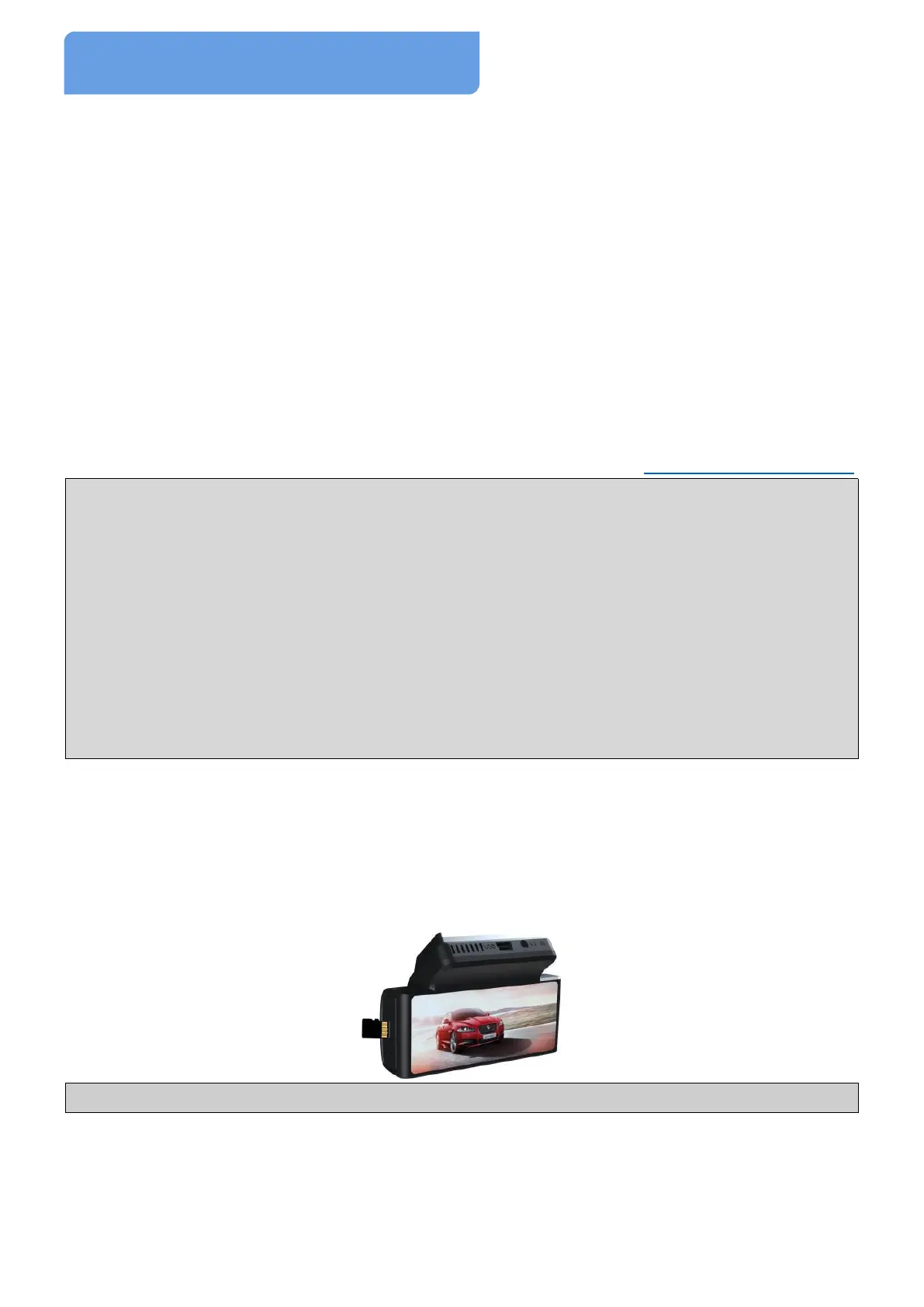
1.2 Insert a Memory Card
Turn OFF the camera. With the display screen of camera and the gold
CONTACTS of TF card facing towards you, insert the TF card into the
TF card slot. Use a paperclip to push the card inward until a click heard.
Note: DON’T remove/insert TF card when the camera is on.
1.3 Remove Memory Card
Turn the camera off first, push the edge of TF card inwards until a click is
heard, release it to eject automatically, then slide it out of TF card slot.



 To Next Page