Default: Cancel, Confirm
Restore all settings to factory default settings.
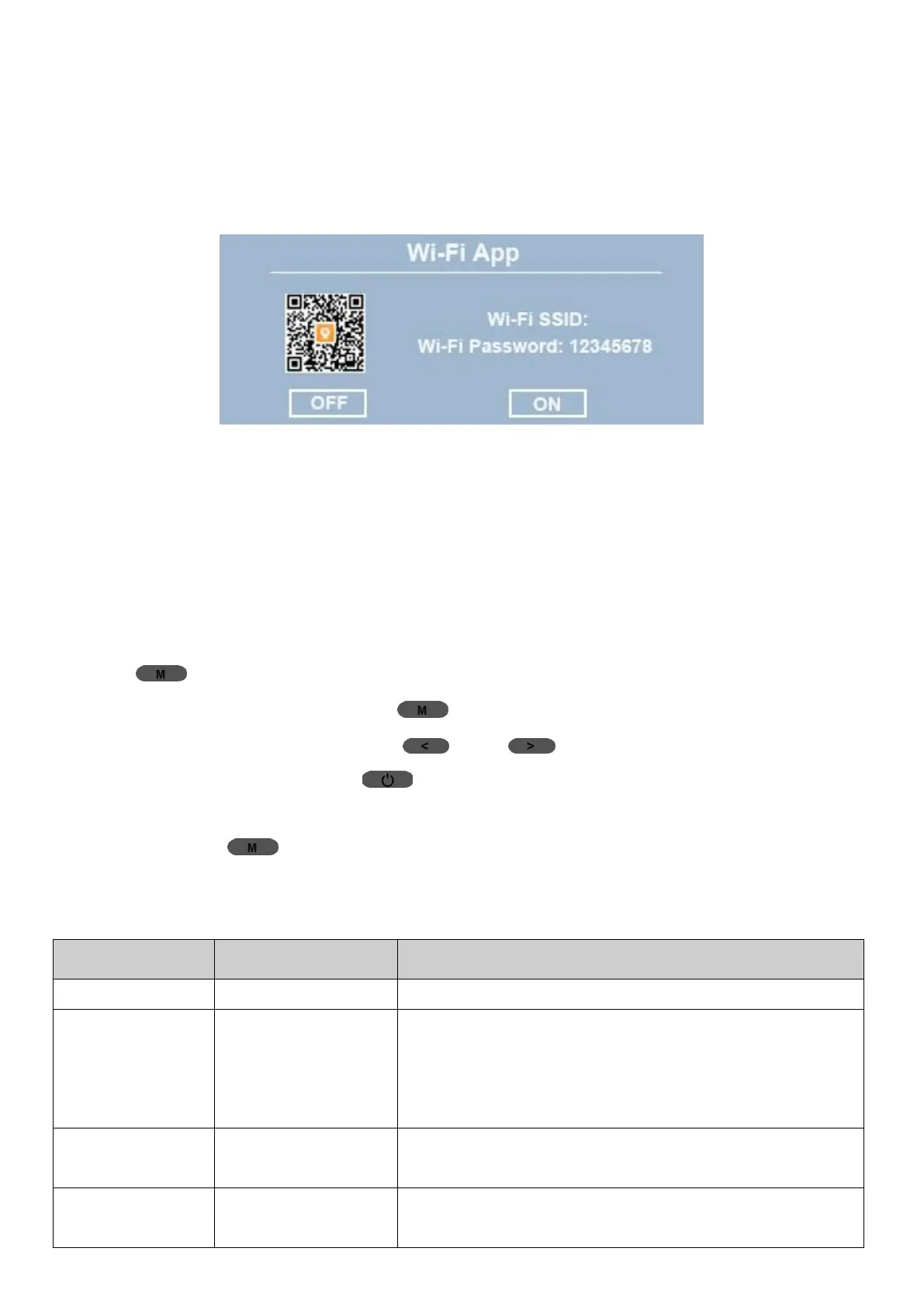
Wi-Fi App
See QR code to download the “Roadcam” app, camera’s WiFi SSID
(WiFi name) and camera’s WiFi Password.
Version: Software version.
2 Photo Menu
2.1 How to Access Photo Menu
① In Video Mode, if the camera is recording, stop it first, then Long
Press (Menu) Button for at least 3s to switch to Photo Mode;
②
In Photo Mode, short press (Menu) Button to go to Photo Menu;
③
In Photo Menu, short press (UP)/ (Down) Button to navigate
settings, and short press (Power/OK) Button once to access a
submenu or confirm an option;
④ Short press (Menu) Button once to return to Photo Mode.
2.2 Photo Menu
Photo resolution. When taking photos, a
higher photo resolution has better image
quality, but produce larger files to take up
storage space.
If it is turned on, the camera will take 3
pictures continuously when take snapshot.
Quality level of images. With higher image
quality, more details can be seen, but larger



 To Next Page