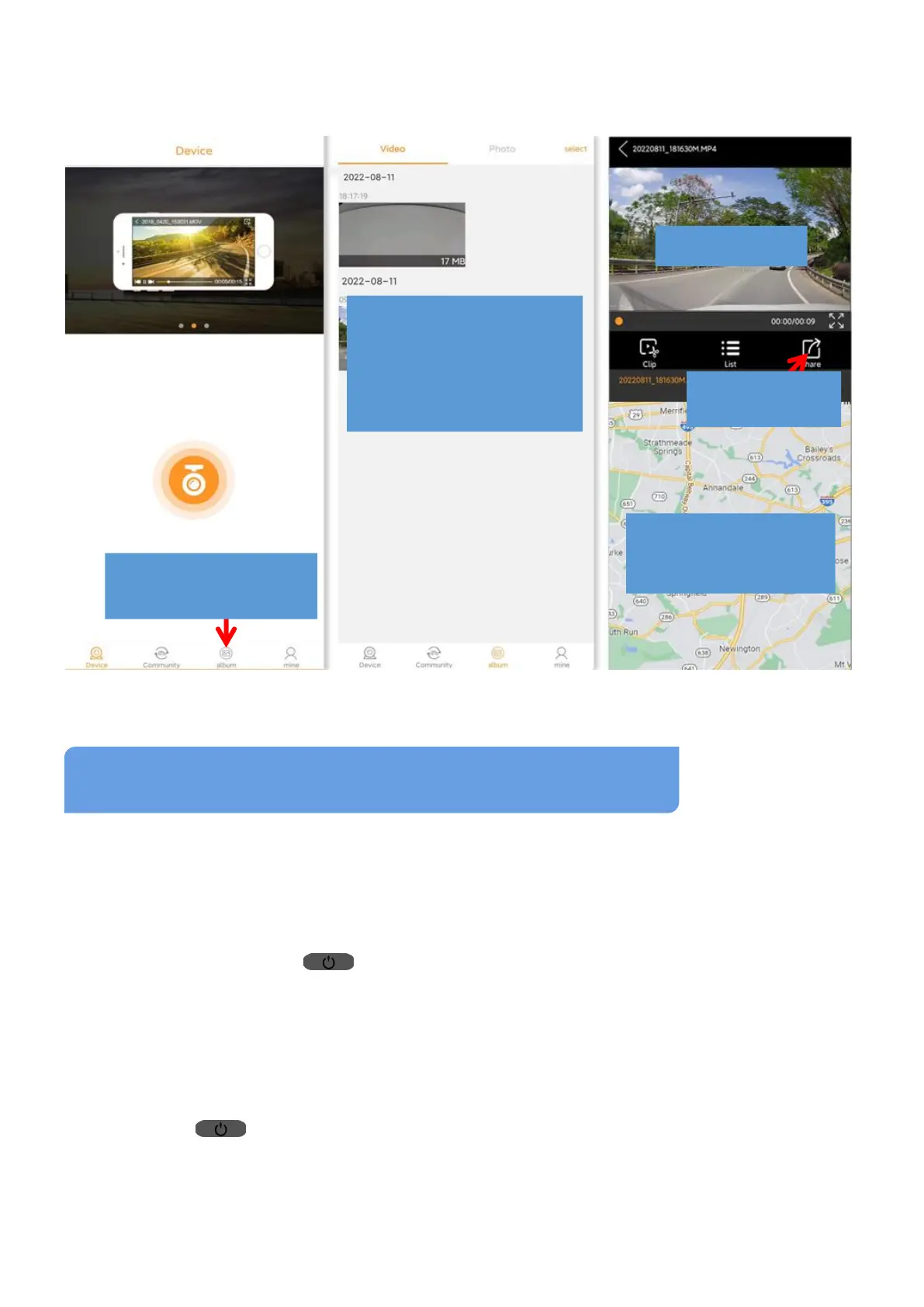
the camera’s WiFi and reconnect to your car’s WiFi/Phone’s Internet;
③ Tap “Album” to access it, find out the video you download before and
tap the video to playback it and view the GPS data.
(1)The dash cam does not turn ON
(1) Camera CANNOT turn ON?
Situation 1: The camera should turn ON automatically after the power is
supplied. If NOT, check the connection of car charger/hardwire kit
first, then long-press (Power/OK) Button to try to turn it on again.
Situation 2: If the power cable is well connected, but the camera still
doesn’t work. Please Reset camera by pressing the RESET Button.
Remove TF card from the device, keep power supply, use a paperclip to
press the RESET Button at the bottom of device (See page 15), then
long press (Power/OK) Button to turns it ON. If it still can’t be
Turned ON, please CONTACT US: LESA_1688@163.com
(2) Videos are fuzzy?
Common Issues& Trouble Shooting
Tap to view downloaded
video, image & GPS log
Video & Photo gallery for
downloaded videos/images
in Album; Tap to choose
any one to access the
Playback Window
View driving location and
route for a video that has
GPS recorded.
Share video/image
to social media



 To Next Page