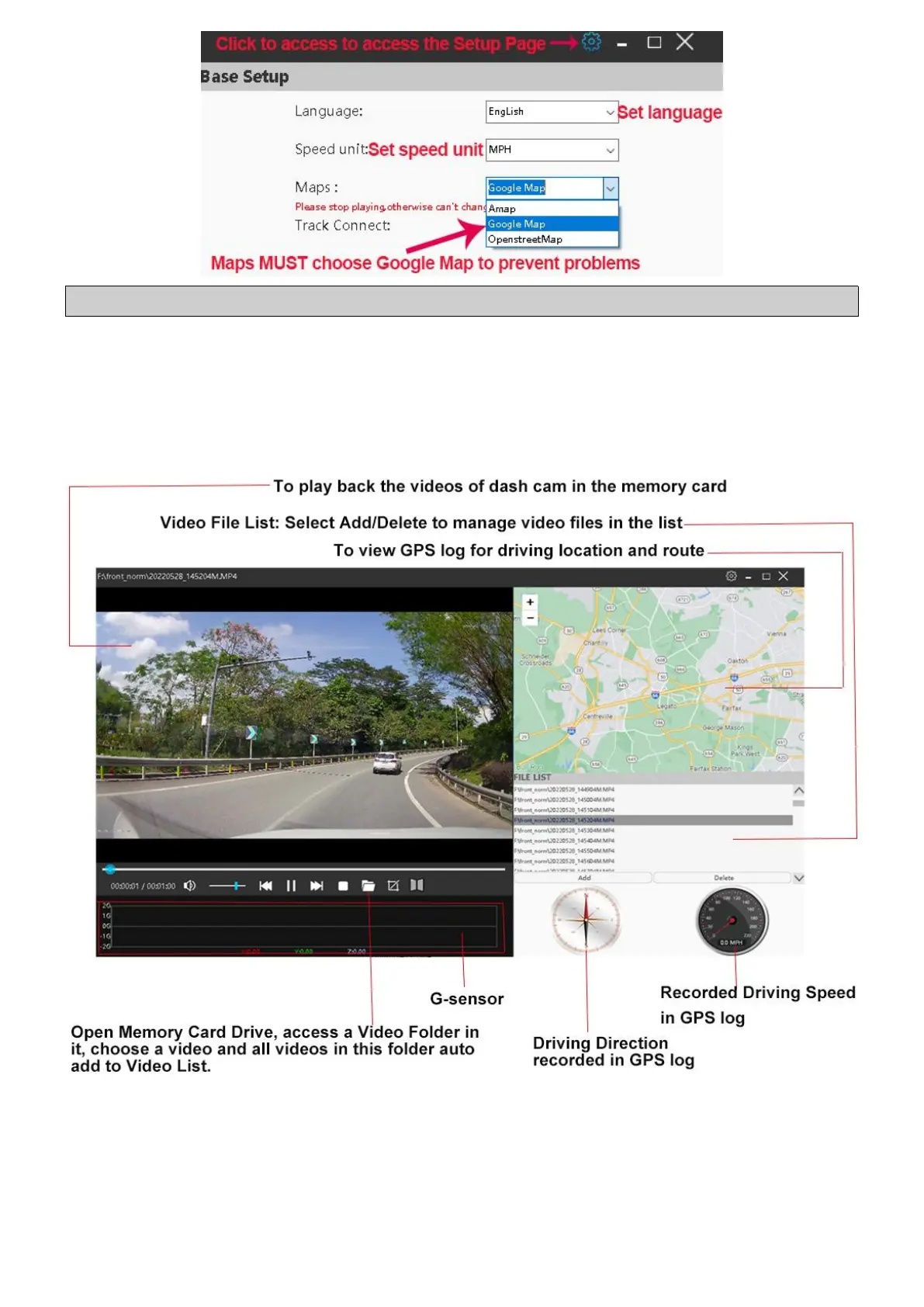
Note: Only set Maps to be Google Map to ensure player can work properly.
⑦ After the GXPlayer is set, click the folder icon to add videos in TF card
to view video or GPS logs(driving route and location) on this player.
2 How to View GPS Log via GXPlayer?
3 How to View GPS Logs via Phone APP?
① Download a video with GPS data to “Album” on the Roadcam App first
(How to download a video? See page );
②
After download the video, return to the App’s Front Page, disconnect



 To Next Page