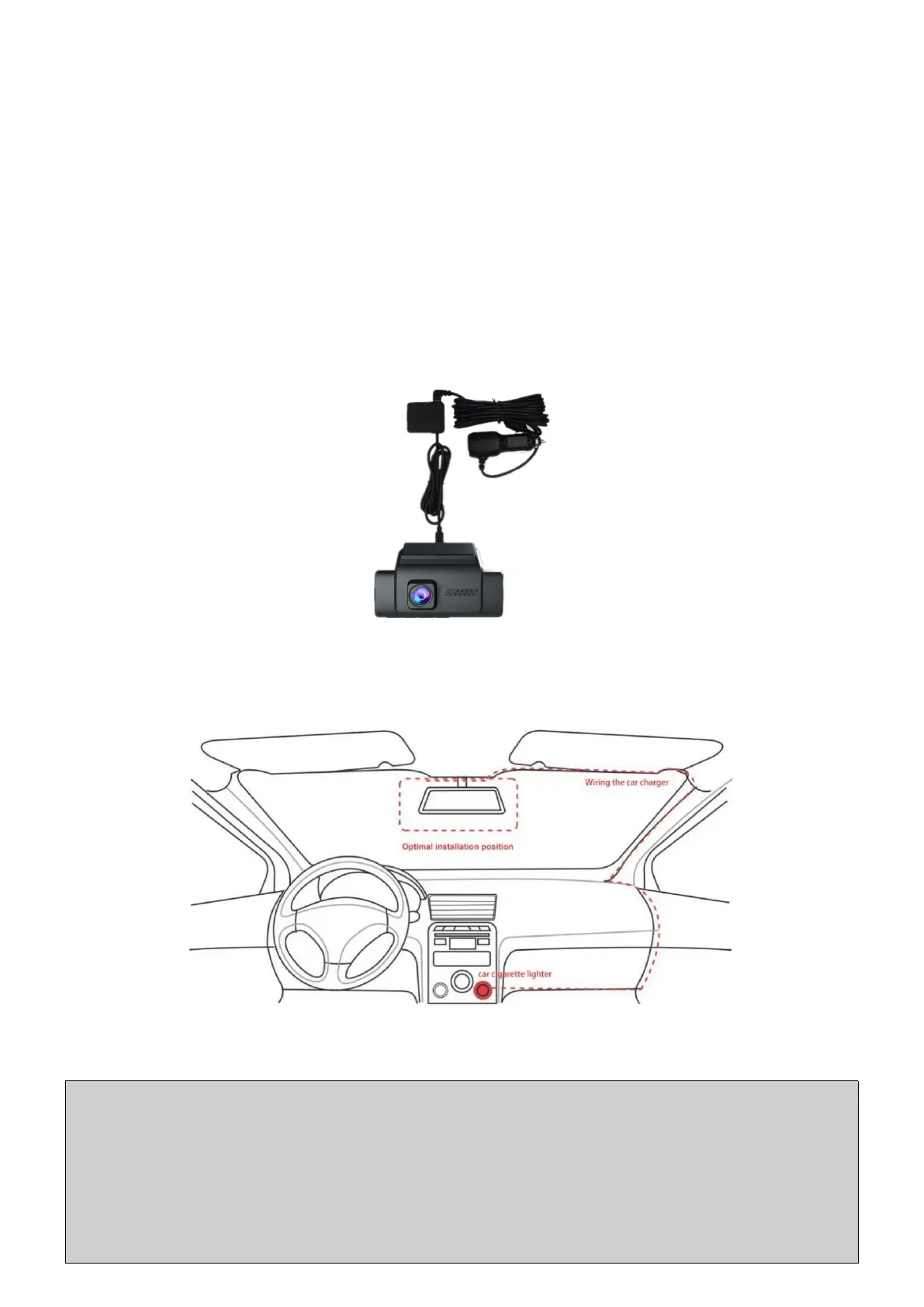
2.3 Connect Car Charger/Hardwire Kit
Two different ways to get power to keep the dash cam working.
(1) Connect the Camera with Car Charger
Use a standard car charger (included in package) to connect camera
to car cigarette lighter, the camera will automatically turn on when you
start the car and will also auto turn off after seconds the car engine is off.
How to Install the Camera with a Car Charger?
① After the dash cam installed, plug the GPS module into USB port on
camera first, then plug the car charger into USB port on GPS module;
② Arrange the cable of car charger along from the top of front windshield,
A-pillar, door frame, all the way to passenger-side glove box, then
organize/hide the cable(As shown in figure below);
③
Plug the car charger into car cigarette lighter and start your car, then
the camera will automatically turn on.
Note:
1. Please only use the provided original car charger.
2. If the camera DON'T turn OFF automatically after 1 minute the car engine
is off. It may be because the car cigar lighter doesn't connect with ACC, and it
is recommended to use hardwire kit to install the camera to avoid potential
car battery drained out.



 To Next Page