D-1
Appendix D: Updating Firmware
Updating Firmware
Updates for firmware can be found at www.kroy.com. Go to support and click on
downloads.
1. Connect the serial cable to your Com port of choice and to your printer.
2. Download the updated file from our site.
3. Save the file to your PC.
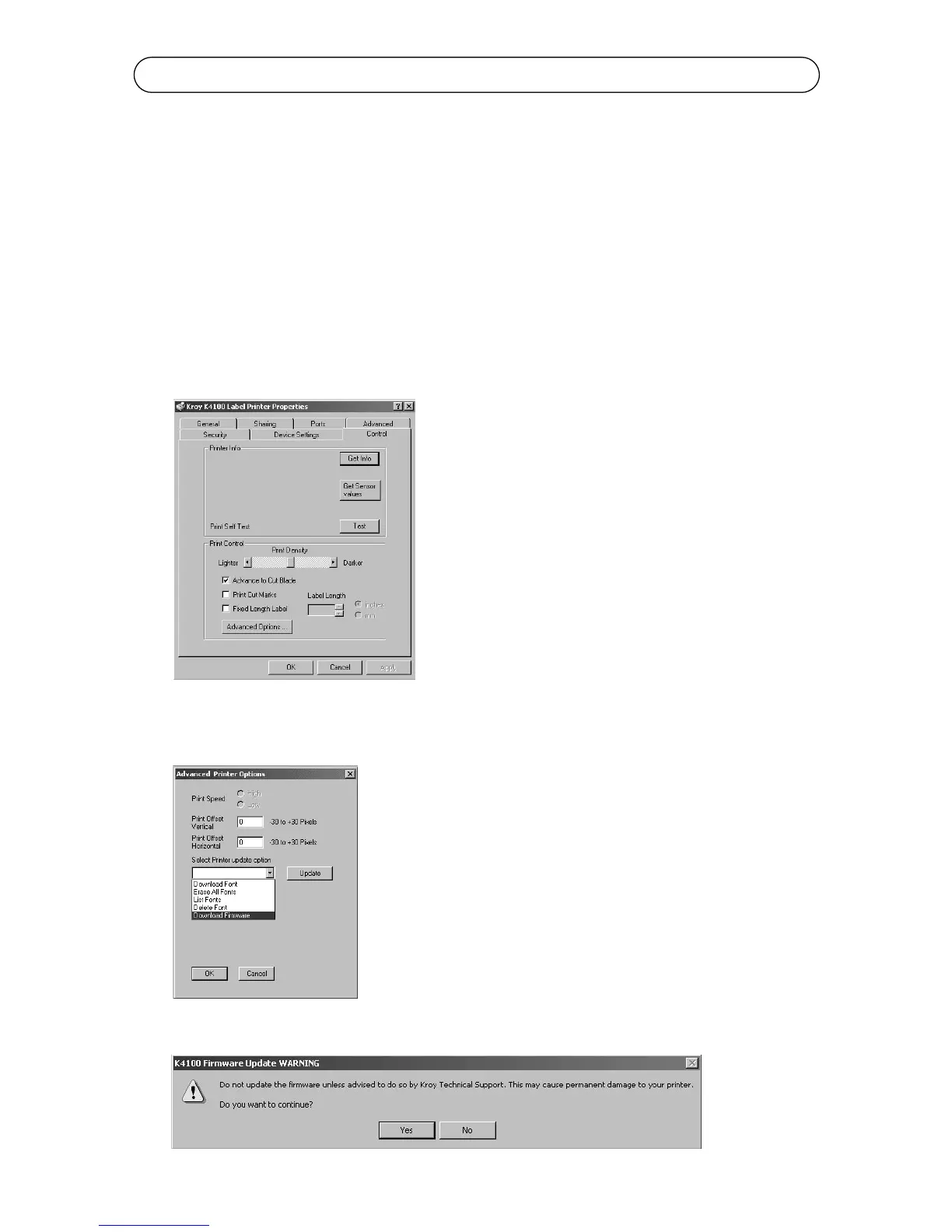
4. Go to your Start Menu of your PC and go to Settings and select Printers.
5. Right click on the K4100 driver and go to Properties.
6. Click on Control and go to Advance Options...
7. Select Download Firmware from the menu and click Update.
8. A warning will appear below and click Yes to continue.



 To Next Page