45
Downloading Fonts
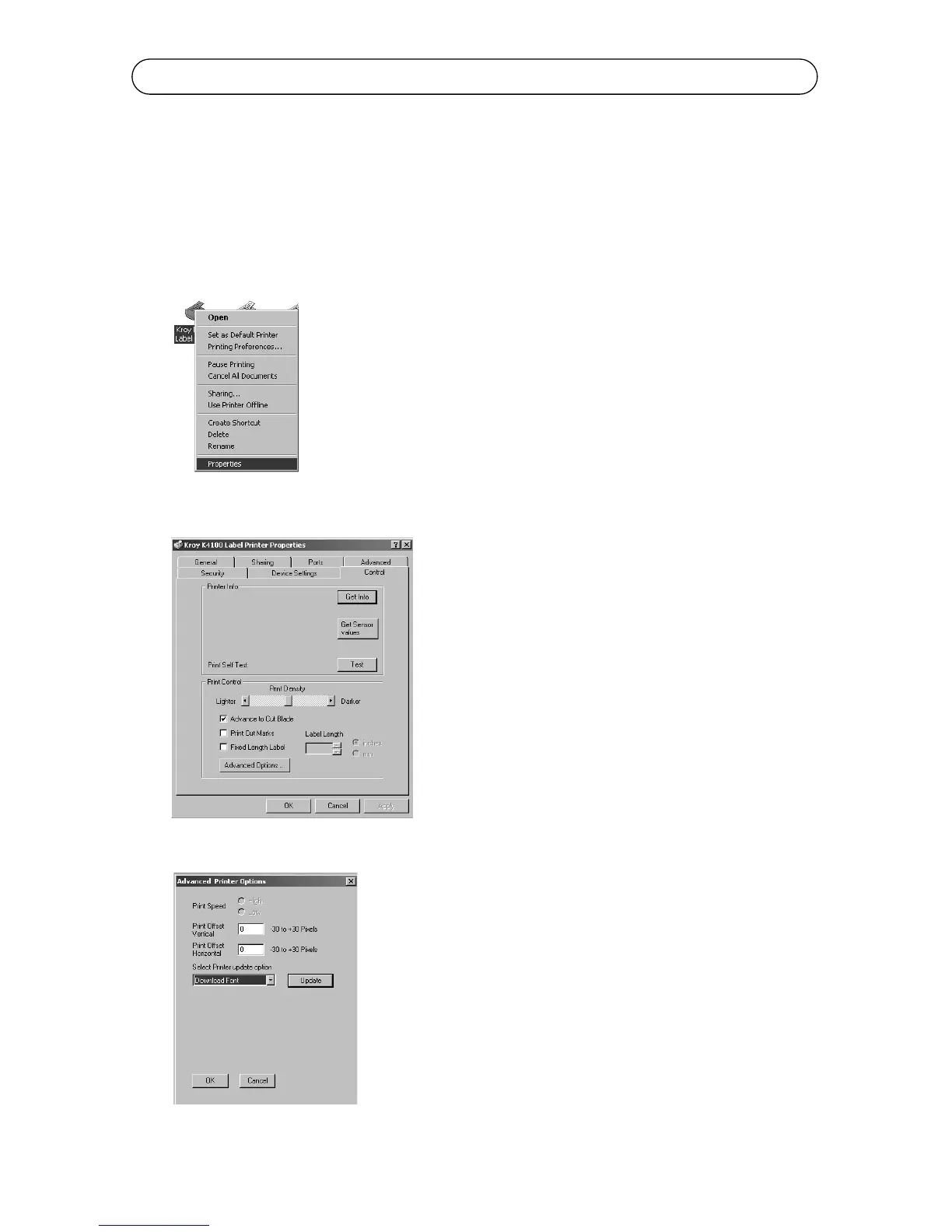
Downloading a Font
The K4100 has the option of downloading fonts from the PC into your Font
Menu. Follow the steps below.
1. Connect the serial cable to the com port of choice and to your printer.
2. Go to the Start Menu of your PC and go to Settings and select Printers.
3. Right click on the K4100 driver and go to Properties.
4. Click on Control and go to Advance Options...
5. Select Download Fonts from the Menu and click Update.



 To Next Page