47
Using Your Printer with Other PC Applications
You may also use other Windows applications to create labels with the K4100
printer. This is an example using Microsoft Word to create a label.
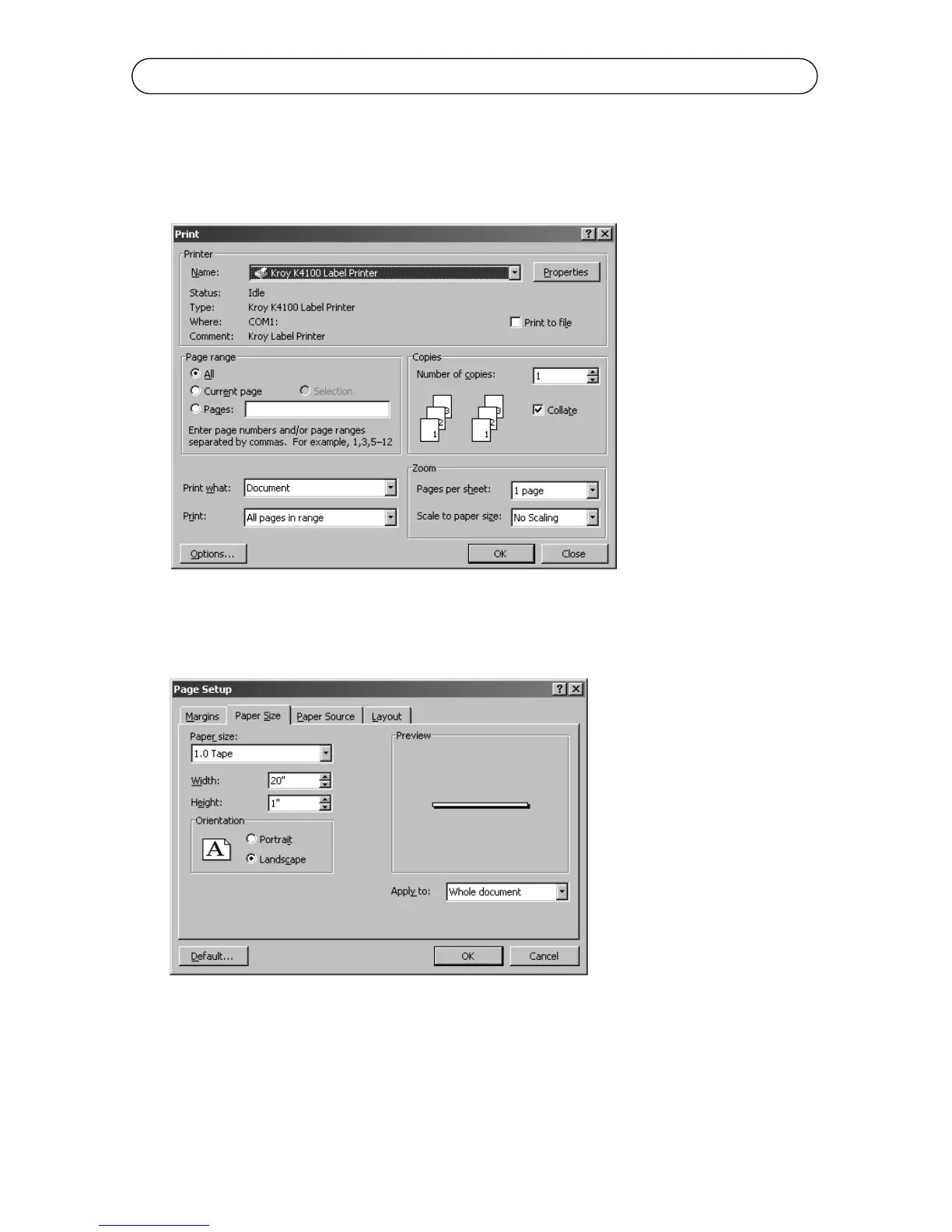
1. Click on the File menu and select Print.
2. Select the Kroy K4100 Label Printer in the drop down box and Click Close.
3. Click on the File Menu and select Page Setup.
4. Click on the Paper Size tab and select the supply type. This size should
match the size of the width on the supply cartridge currently installed in your
K4100 printer. Usually you will want Landscape orientation selected.



 To Next Page