41
20) FUNCTIONS AND SETTINGS
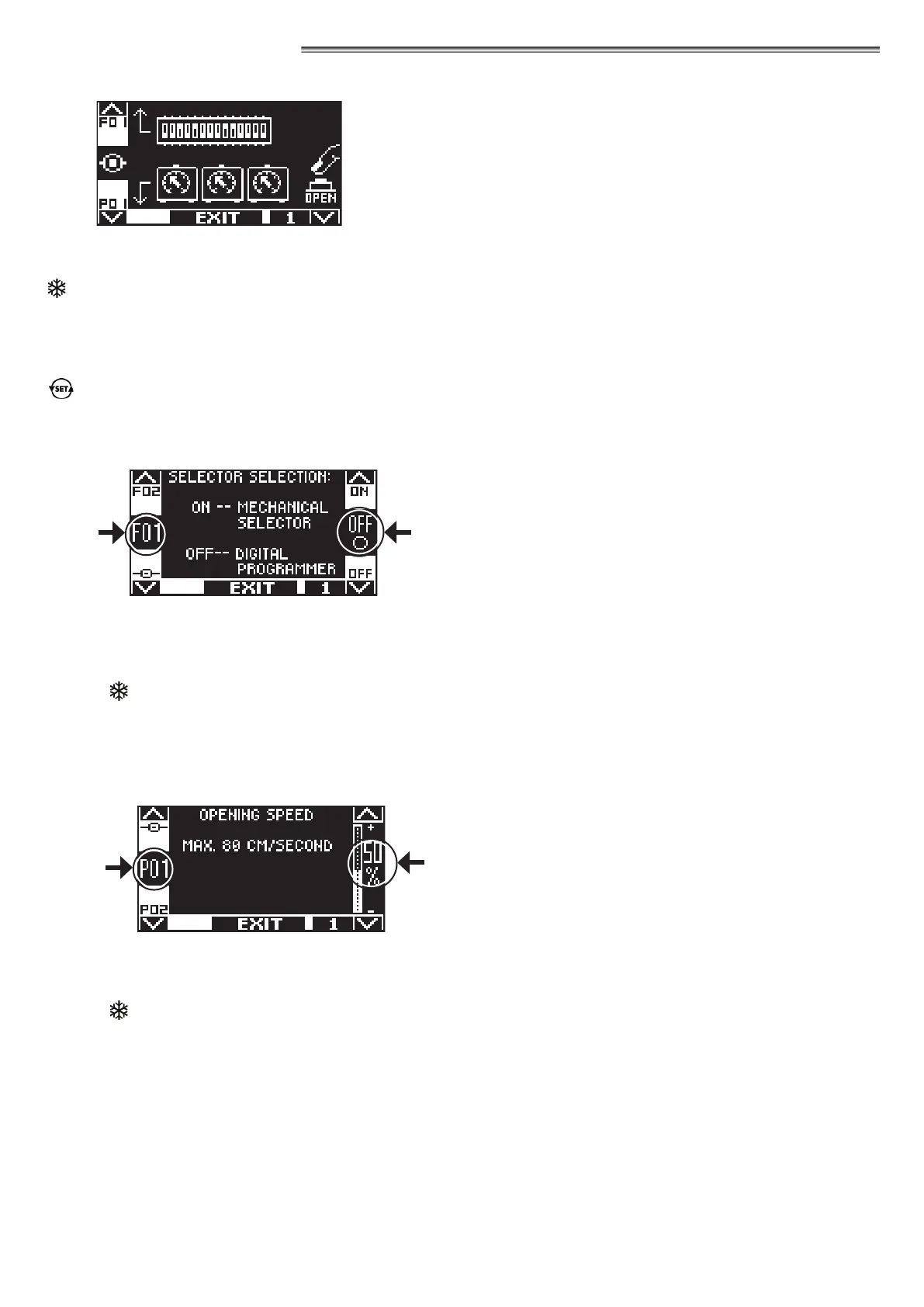
To enter, type the 10-character technical password (for more information, refer to the “Password management” paragraph)
The buttons in this sub‑menu are used as follows:
F2 button = to access the functions F setting (see “Function setting” paragraph);
button = to access the potentiometers P setting (see the “Parameter setting” paragraph);
F1 button = control door opening;
F3 button = it is only used in case the digital selector ET-DSEL is connected to two automations, to select whether to set the
functions and parameters of automation 1, or of automation 2. Number 1 or 2 at the top right of the display indicates
the selected automation. If the selector ET-DSEL only manages a single automation, number 1 is displayed at the
top right.
button = to return to the general programming menu.
20.1) FUNCTIONS SETTING
In this section the display describes the purpose of the selected function;
the button F1 sets the function status to OFF;
the button F3 sets the function status to ON;
the button F2 allows to go to the next function;
the button
allows returning to the previous function;
For information about the operation of each function, please refer to the "FUNCTION TABLE" below.
20.2) PARAMETER SETTING
In this section the display describes the selected parameter type;
the button F1 decreases the set percentage value;
the button F3 increases the set percentage value;
the button
allows to go to the next parameter;
the button F2 allows to return to the previous parameter.
For information about the operation of each parameter, please refer to the "PARAMETER TABLE" below.


 To Next Page