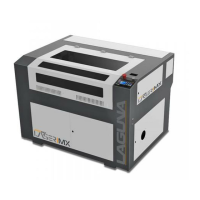
PL1220 Owner’s Manual
20
2.1 Connections
With the power still unplugged, make all connections according to the connection diagram. Verify
water and air connections are not leaking.
Exhaust blower – Use a flathead screwdriver to install the Exhaust Ventilation to the machine.
Water Chiller – Press fit the rubber water hoses from the cooling system (water chiller) to the
laser machine.
Air Pump – Press fit the air hose from the air pump to the machine.
Remote Interlock Connector - If the machine is provided with a remote interlock connector,
connect the remote’s cord to the machine interlock outlet.
2.2 Safety Check
Open the rear panel and check that all systems are working by powering them on individually. Do
not give power to the laser machine during this check.
Exhaust blower – Verify the ducting is installed and will not come loose. Verify the fan will not tip
over.
Water Chiller – With the rear panel open, water in the chiller and all connections made, give
power to the chiller and verify there are no leaks or faulty connections. Confirm the water is
flowing towards the first mirror. Verify the alarm works by performing the “pinch test” (pinch the
water tube for twenty (20) seconds or until alarm sounds).
Air Pump – Verify that air is flowing to the laser head assembly.



 To Next Page