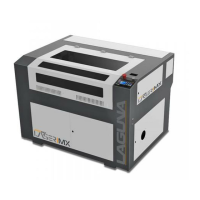
PL1220 Owner’s Manual
31
6.0 Setup and Assembly
WARNING
To avoid and prevent injury, setup problems, and potential
damage to the machine, read through the entire setup section
prior to proceeding.
DO NOT plug in the machine until setup and assembly is
complete.
6.1 Setup Overview
When setting up your PL1220, read this overview prior to starting.
1. Carefully un-box the laser machine.
2. Verify to setup on a level floor.
3. If using the base, level the base to the floor and then place the PL1220 Laser machine on
top.
4. Install the laser tube.
a. Follow the connections diagram
for all connection to the PL1220.
5. Set up the chiller unit; this requires seven (7) liters (1.85Gal) distilled water, water tubes, and
connection cables.
6. Verify that water is running through the laser tube.
7. Set up the air pump.
8. Set up the exhaust fan.
9. Install the software and sync with the PL1220 Laser machine.
10. Now that the setup is complete, plug in and power on the machine and all components.



 To Next Page