PL1220 Owner’s Manual
66
10.0 Changing or Cleaning the Focal Lens
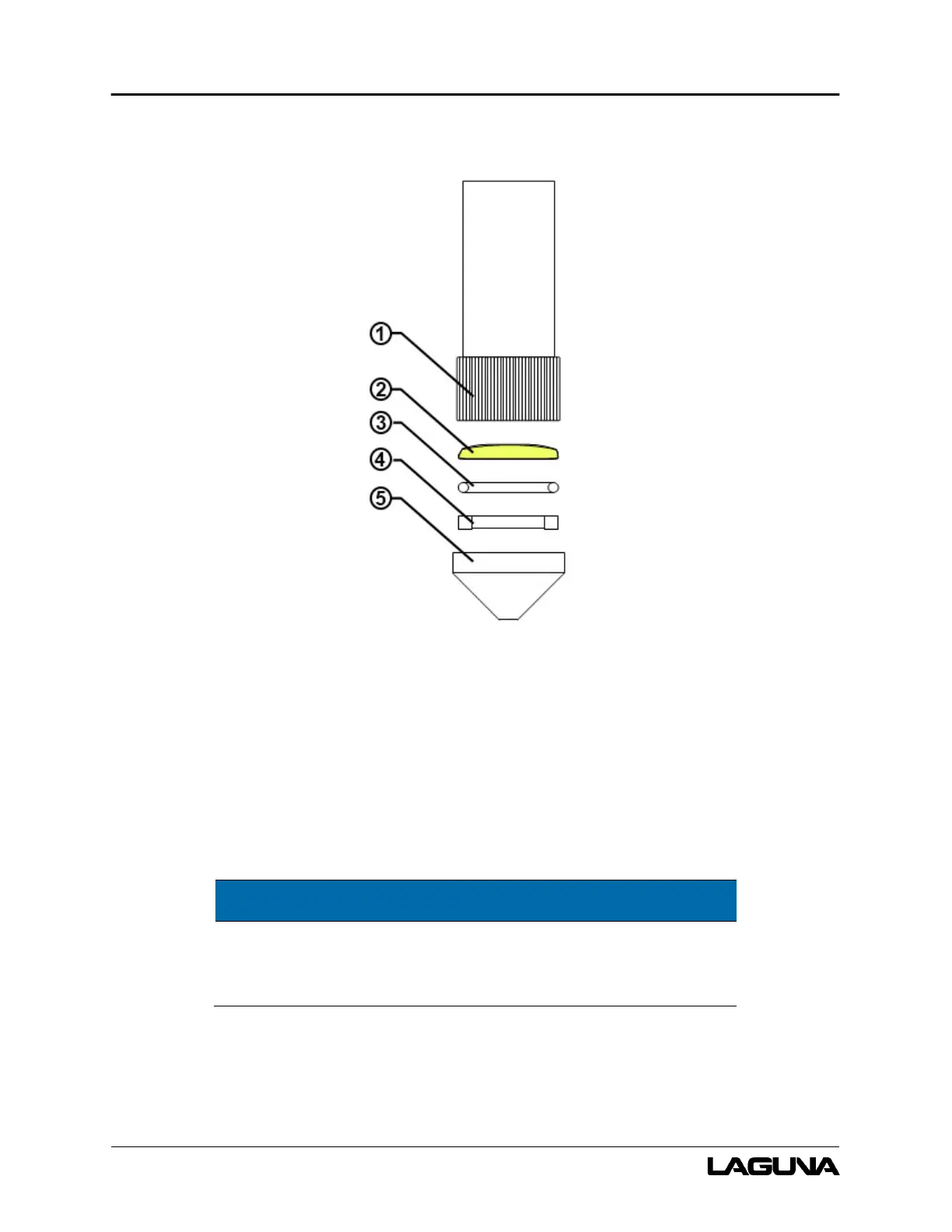
Figure 10-1: Focal Lens Assembly
1. Adjustable head tube 3. Rubber seal 5. Nozzle
2. Focal lens 4. Lock ring
1. Unscrew the assembly and remove from the PL1220 machine.
NOTE
The front of the PL1220 must be tilted up to remove the
assembly.
2. Unscrew the nozzle to expose the lock ring.
3. Carefully remove the lock ring with a small rod (a screwdriver will work).



 To Next Page