PL1220 Owner’s Manual
28
5.0 Interface
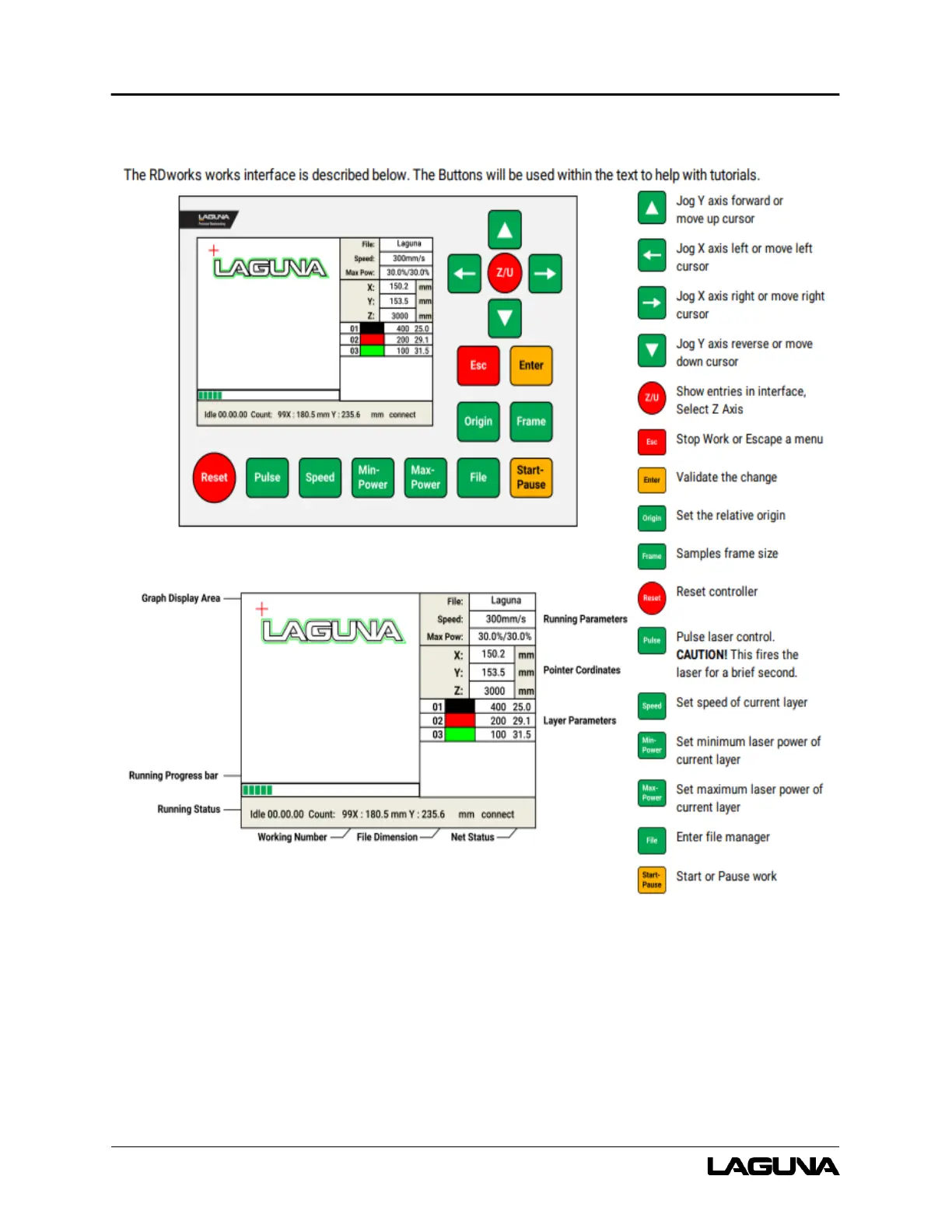
Figure 5-1: RDWorks Interface
Graph Display Area – Displays the whole file’s track and display the running track.
Running Parameters – Displays the running file’s file number, speed, max power, etc.
Coordinates – Displays the current coordinate of X, Y, and Z-Axes.



 To Next Page