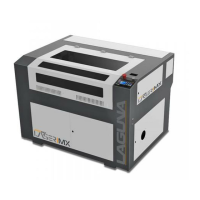
PL1220 Owner’s Manual
49
b. Air Support System: Ensure that air is flowing to the laser head assembly.
c. Laser Tube: Verify the cathode wire is connected and the cat screw is tightened (less
than 1 NM or torque). Verify the anode wire is connected via the alligator clip.
d. Cooling System: With the rear panel open. water in the chiller, and all connections
made, give power to the chiller verify there are no leaks or faulty connections.
Confirm that the water is flowing from right to left (towards the first mirror). Verify the
alarm works by performing the “pinch test” (pinch any water tube for twenty (20)
seconds or until alarm sounds).
6.9 Alignment Check and Test Run
1. With the chiller still on, give power to the machine and turn it on.
2. Open the laser lid. There should be a red dot laser sight under the nozzle of the laser. This
red dot is combined in the beam combiner to be in the exact same path as the laser tube.
If you do not see a red dot, then the laser is not aligned to the
mirrors correctly.
If no red not is visible, view the mirror alignment procedure.
a. If the red dot is present, open the lid and place a scrap piece of wood under the laser
head with the red dot where you expect to fire the laser (on the scrap wood)
2. Rise the lift bed until the focal length sensor engages and stops the lift bed.
3. Close all doors.
4. Press the PULSE button.
5. If the laser has pulsed properly and a small burn mark is present in the sample, setup is
complete.



 To Next Page