PL1220 Owner’s Manual
46
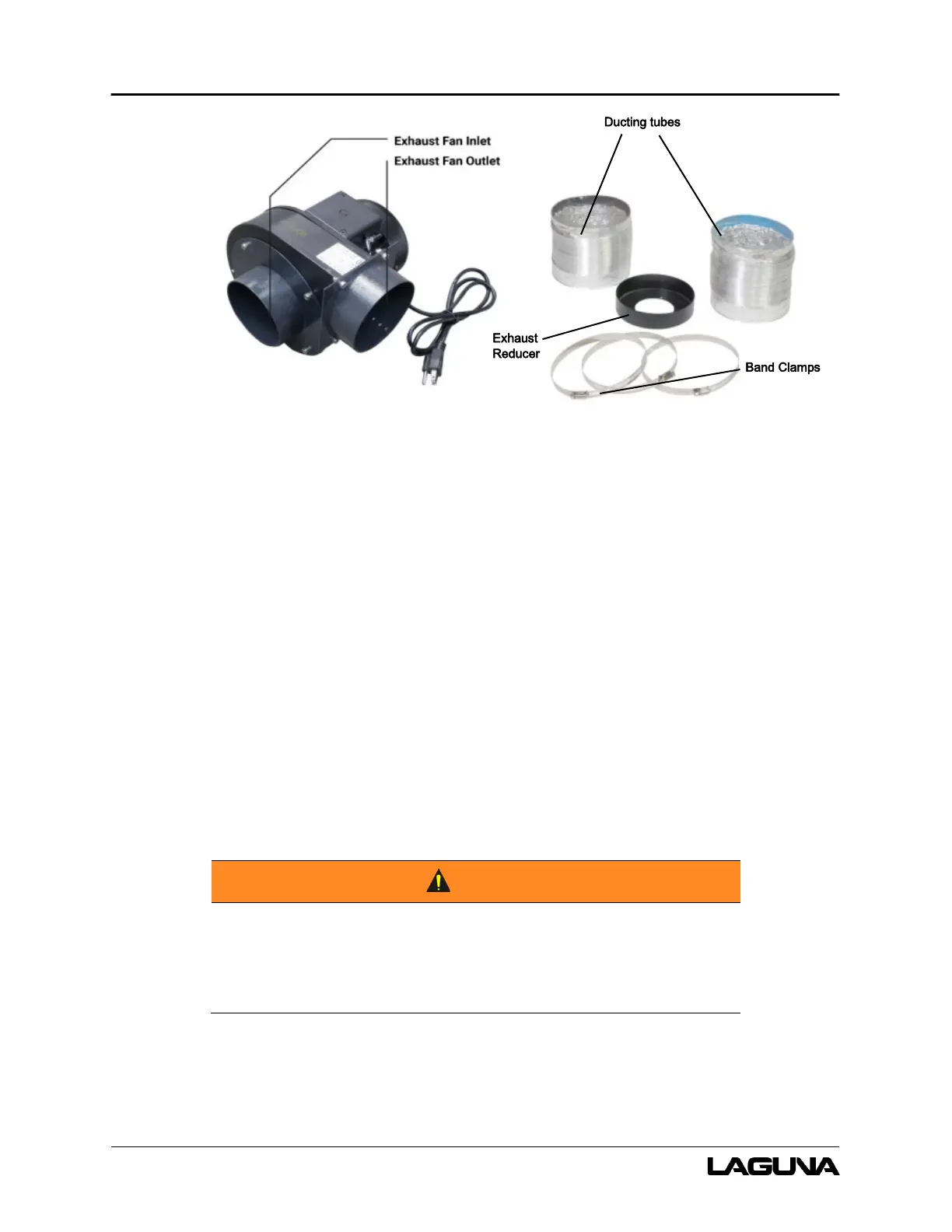
Figure 6-8: Exhaust Fan and components
1. Use a flathead screwdriver to install the exhaust reducer to the back of the PL1220 machine.
2. Connect and fasten (with band clamps) the end of 1 (of 2) ducting tubes to the exhaust fan
inlet.
a. Connect and fasten the other end to the exhaust reducer. (If the rear panel was
removed by taking off screws, Do not connect the other end at this time.)
3. Verify the ducting tubes are fastened with the included band clamps.
4. Connect and fasten the end of the 2
nd
(of 2) ducting tubes to the exhaust fan outlet. Do not
connect the other end; this end is for ventilation.
5. DO NOT connect to power until setup is complete.
The exhaust must safely and legally draw the fumes away from
the laser machine to prevent inhalation by personnel or
bystanders.



 To Next Page