PL1220 Owner’s Manual
54
2. If the file was downloaded, unzip the .zip file .
3. Run the RDWorksSetup.exe file in the unzipped folder to a desired location.
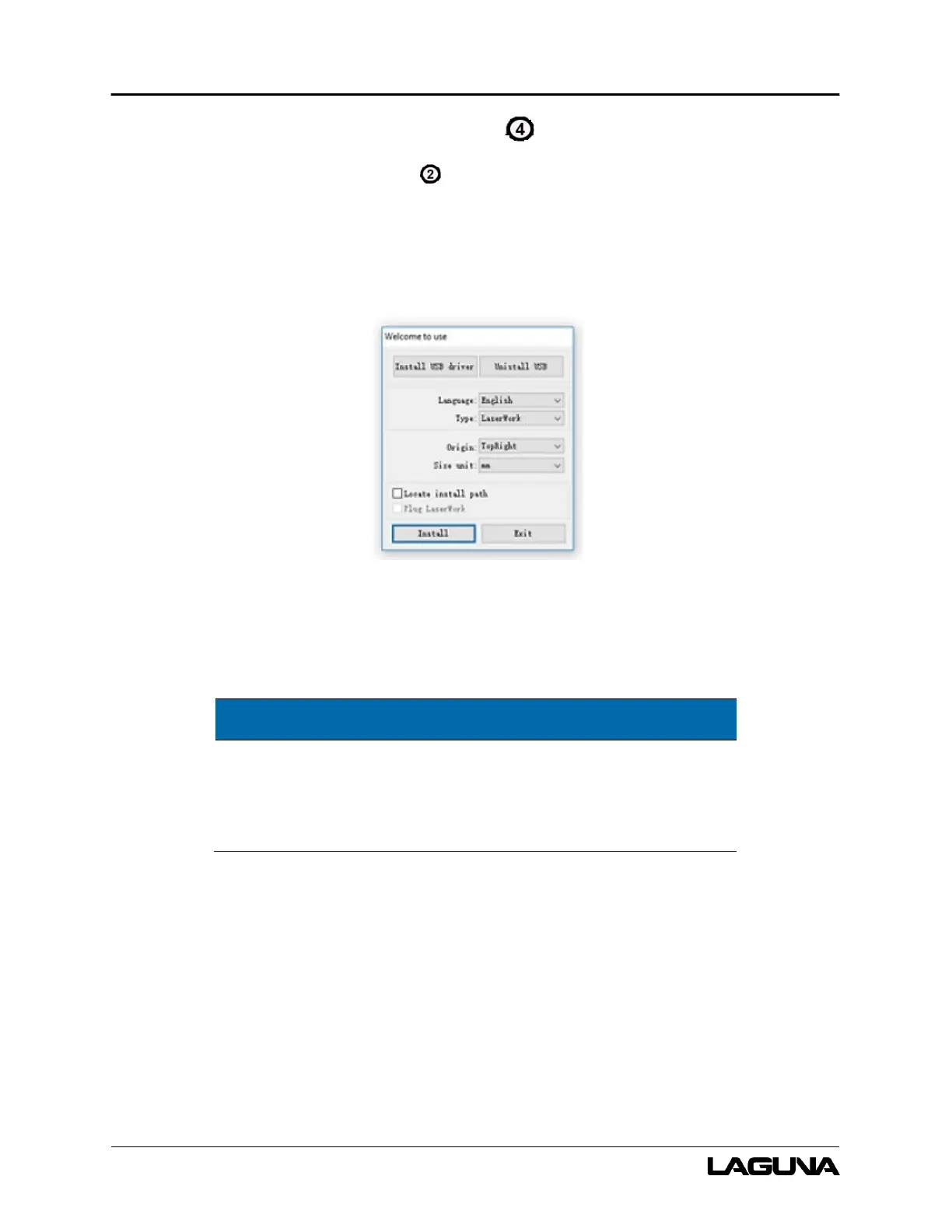
4. Click “’Install”
a. Wait for the program to install.
Figure 7-3 RDWorks Installation Interface
5. Once the program is installed, select “LaserWork” as the Type and then select the Origin and
units that you wish to use.
Other “types” are only compatible with certain software
packages (E.g: CorelDraw_Laser will install a plugin into the
CorelDraw software package.
6. Click install.
The RDWorksV8 program should now be installed on your computer.


 To Next Page