PL1220 Owner’s Manual
56
4. Set the IP address to any known value. Use 10.10.100.10 if confused.
NOTE
Every device (computer, router, laser machine) has a unique
IP address. Completing step 4 establishes an address so that
other devices can connect to the machine.
5. Set the Gateway to the IP address of the internet router being used.
6. Connect the PC to the now available Laser Machine network with the known IP address of
the laser machine (10.10.100.10).
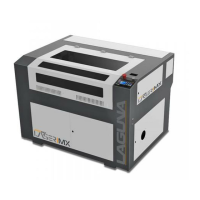
The PC will not send any notification that the laser is connected. If the connection is not true,
the following message will be displayed when trying to run a command:
Figure 7-6: Laser Error Code
NOTE
If you plan to use the laser machine with a USB stick only, it
is still recommended that the RDWorks software (on PC) is
initially synced to the factory preset machine settings.



 To Next Page