Lake Shore Model 340 Temperature Controller User’s Manual
Measurement Operation 5-5
Input
Processing
Conversion
to Temperature
Filter
PID
Control
Linear
Equation
Maximum/
Minimum
Alarms
Hardware
Beeper
Relays
Display
Remote
Analog
Out
Heater
Out
OR
OR
OR
OR
V
Software
340-5-1.eps
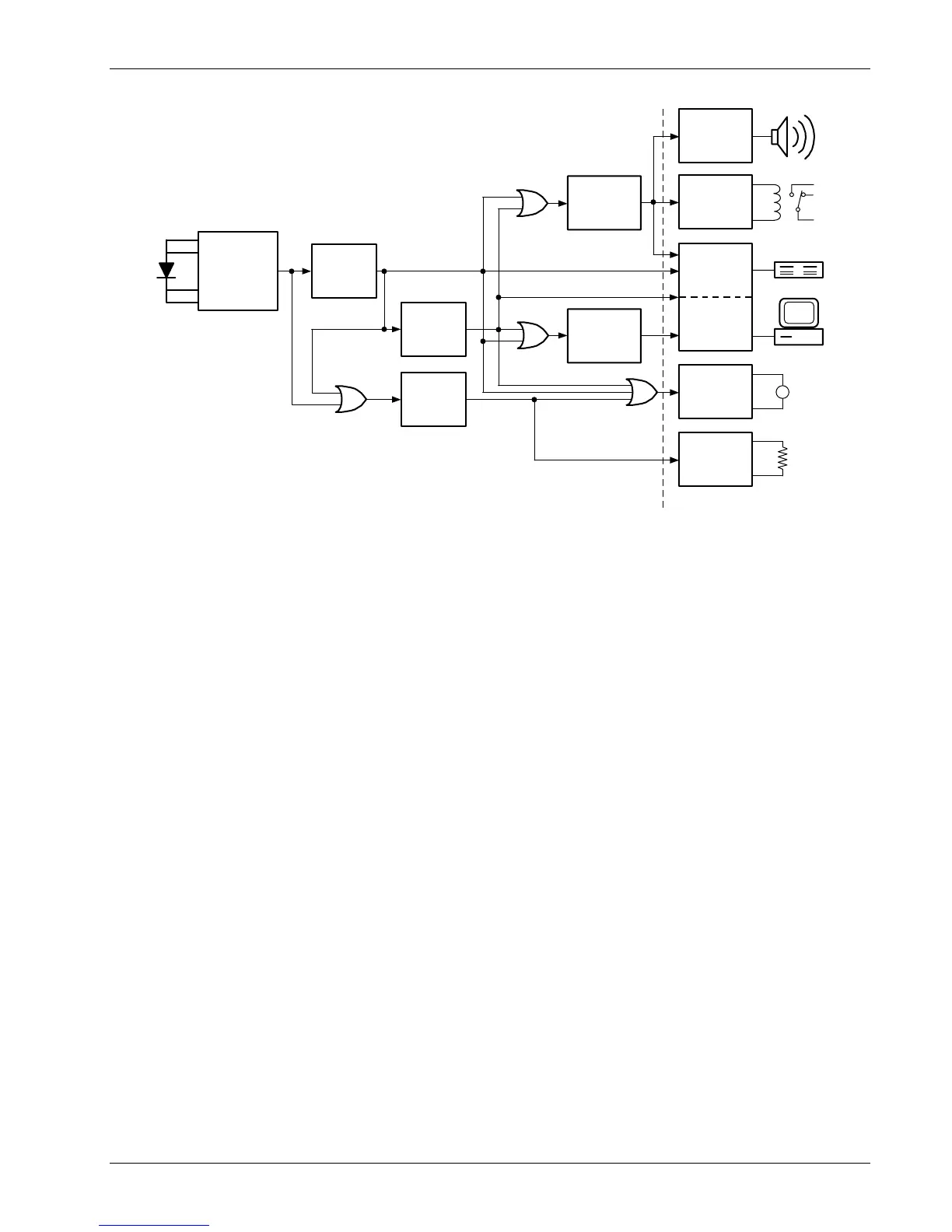
Figure 5-1. Data Flow
5.3.2 Max/Min
The Model 340 will save the highest (Max) and lowest (Min) reading of a sensor input when the Max/Min
feature is turned on. The feature can be paused to save these stored values after the observation period is
over. A source for Max/Min must be selected on the math setup screen. There are four possible sources for
the Max/Min feature. The input reading in sensor units, kelvin, Celsius, or the result of the linear equation can
be chosen. Max/Min will work with one source for an input but different inputs can have different sources. Max
and Min will not automatically show on the display. Use the Reading Display Format screen described in
Paragraph 4.5 to show Max and Min on the display.
To use the Max/Min feature, press the Math Setup key. The math setting screen will appear with the input
letter in the top left hand corner. Use the s or t key to select an input. Press the Enter key or the Next
Setting key to display the Max/Min parameters for that input. Press the Next Setting key until the Max/Min
enable field is highlighted and then use s or t key to select on. Press the Next Setting key or the Enter key
to advance to the source field. Use the s or t key to select one of the four sources. Press the Next Setting
key to make other changes. Press the Save Screen key to store the change in the Model 340. The default
settings are On, kelvin.
When the Max./Min feature is setup, it will not automatically appear on the display. Use the display format
screen to add a reading field to the display and select the input and math source for that new field. Display
format is discussed in Paragraph 4.5.
To Pause the Max/Min feature, press the Math Setup key. The math setting screen will appear with the input
letter in the top left hand corner. Use the s or t key to select an input. Press the Enter key or the Next
Setting key to display the Max/Min parameters for that input. Press the Next Setting key until the Max/Min
enable field is highlighted and then use s or t key to select pause. Press the Save Screen key to store the
change in the Model 340. Changing back and fourth between on and pause will not reset the values.
To reset the Max/Min values, press the Math Reset key from the normal display. Math reset is an immediate
operation.



 To Next Page