Lake Shore Model 340 Temperature Controller User’s Manual
8-12 Instrument Programming
10
20
30
40
50
60
70
80
90
1
23
4
56 78 5 6 7 8 5 67 89 10 11
Cool
Down
kelvin
minutes
Programmed
Actual
Program
Instructions
340-8-3.CVS
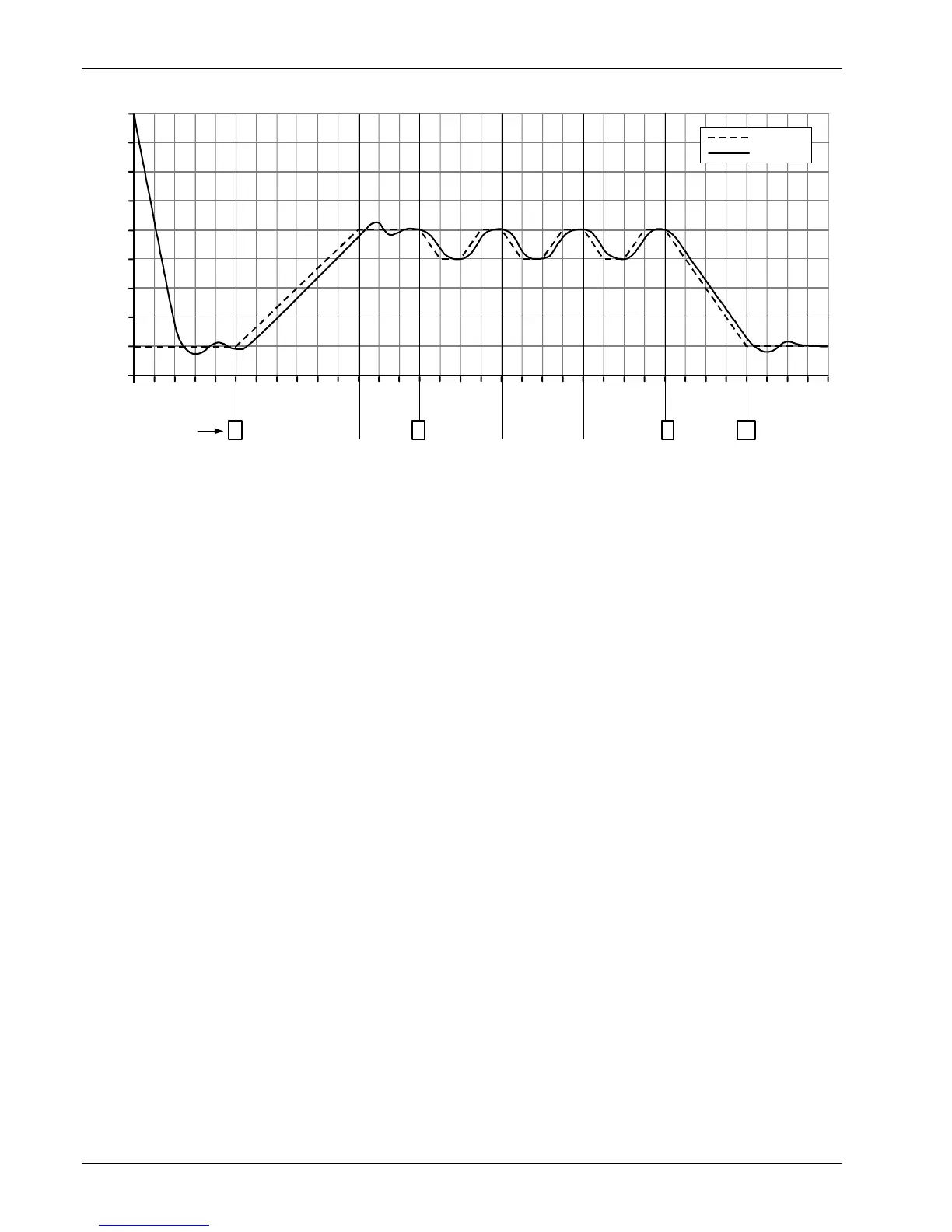
Figure 8-3. Sample Program #1
8.3.7 Example of Using Subprograms (Example 2)
This is an example of a short subprogram that could easily be called from the program in example 1. It opens
then closes the high relay before returning to the calling program. The subprogram should be stored in
program location 2. To use this subprogram, insert a Call instruction with Program parameter set to 2 in the
first example program. Run the first example again and listen for the relays to click at the appropriate time.
Edit Program #02
1 Relays >|High: ON
| Low: OFF
2 Wait >| Hours: 0
| Minutes: 0
| Seconds: 30
3 Relays >|High: OFF
| Low: OFF
4 End >|
8.3.8 Run an Internal Program
To run a program already entered into memory, press the Program key. Use the Next Setting key to
highlight Run program. Press the Enter key. Use the s or t key, or the numerical keypad, to enter the
program number. Press the Enter key. The display returns to normal and the program begins to execute. If
you wish to monitor where the program is, press the Program key. The Status line displays Running and the
Line number the program is currently at is displayed. You should monitor the controller closely the first time
you run a new program to ensure it performs as expected.
8.3.9 Stop a Running Program
To stop a program already running, press the Program key. Use the Next Setting key to highlight Terminate
program. Press the Enter key. The program stops immediately. To verify the program has terminated, press
the Program key. The Status line displays Stopped and the Line number the program is currently on is zero.



 To Next Page