4 Technical Description
29
4.6.10 Entering the customer password
The password for Customer level can be assigned individually by the customer. To
enter a new password, the Customer access level or higher must be activated.
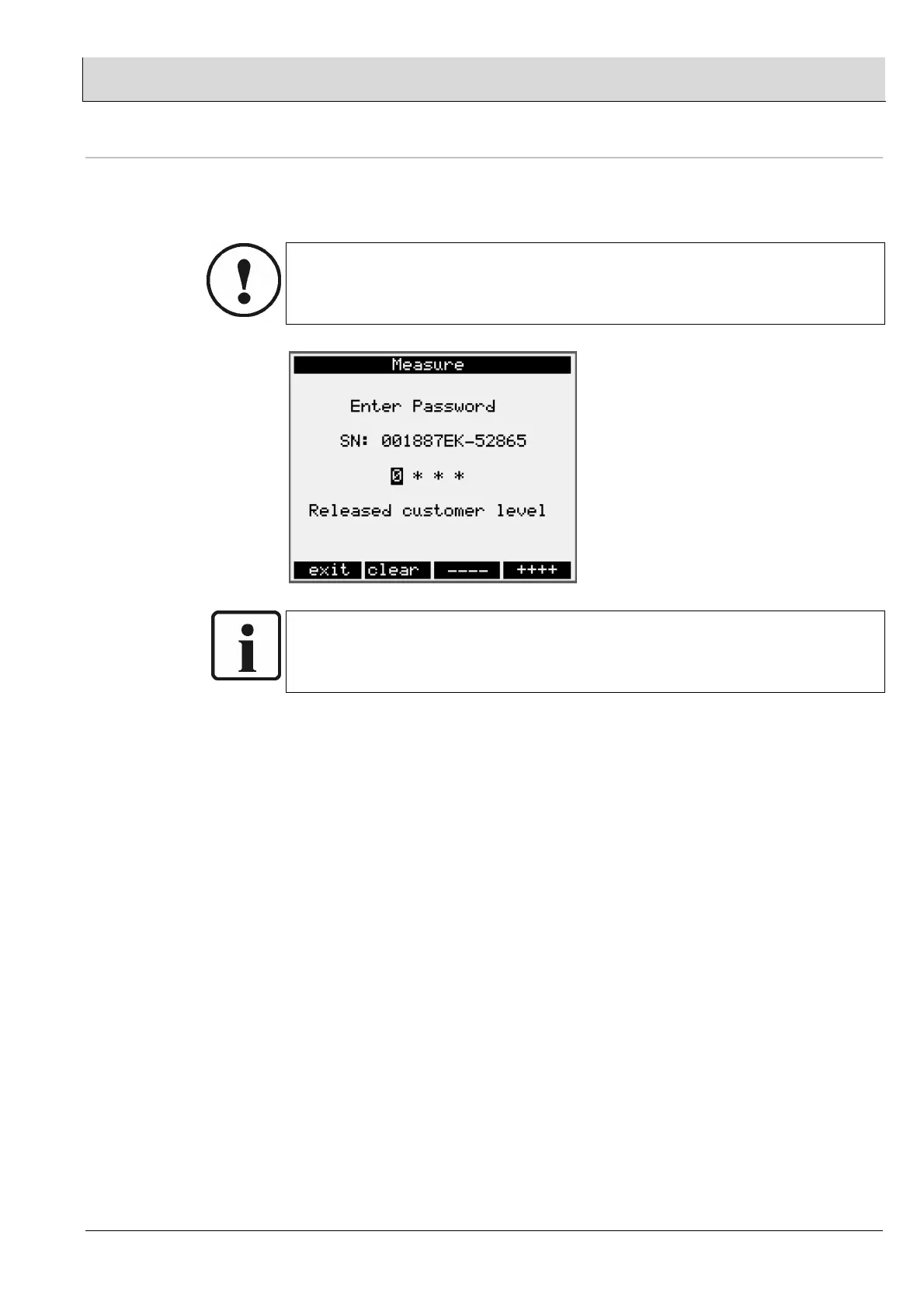
The new password must be entered in parameter 1472, (see figure below).
CAUTION!
A few seconds after the password is entered, it is accepted by the device and “####”
is displayed. Thus, once a password has been entered, it can never be read out
again.
NOTE:
The factory-set password is “0000”. Since this is the default setting for password
entry, you can activate Customer level by changing briefly to password entry and
then exiting again without making any changes.


 To Next Page